
Send a Payment Link and Other Ways to Send
Send an invoice again, copy a payment link for one invoice or everything a customer owes, or open the email in Messages.
1 min readUpdated
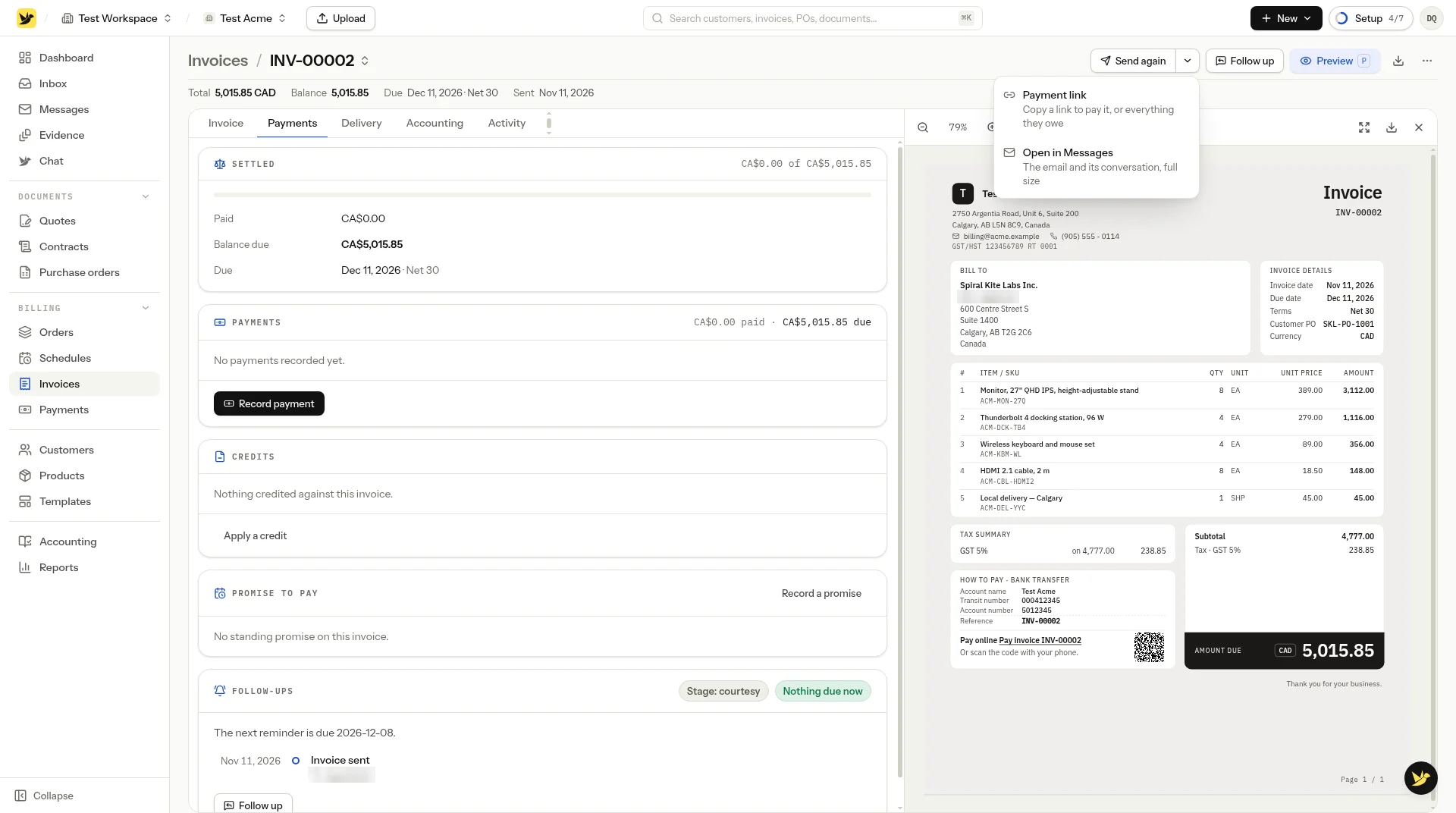
A sent invoice's header has Send again and Other ways to send.
Other ways to send offers a Payment link, "Copy a link to pay it, or everything they owe", and Open in Messages.
How It Works
- Send again: opens the email so you can check To, Cc, Bcc, the subject and the message. Nothing sends until you confirm.
- Payment link: copies a link to a page where the customer can view the invoice, download the PDF and see how to pay.
- Open in Messages: "The email and its conversation, full size".
A customer's more menu also has Payment link, for everything that customer owes.
Send the Invoice Again
- Open the invoice from Invoices.
- Click Send again.
- Check the recipients, subject and message, then send.
Copy a Payment Link
- Click Other ways to send in the header.
- Choose Payment link.
- Paste the link into your own email or message to the customer.
Open the Invoice Email in Messages
- Click Other ways to send.
- Choose Open in Messages to read the email and the conversation around it.
Tips
- Use the "everything they owe" link when a customer has several open invoices.
- Open the conversation in Messages before you chase, so you see any reply first.
- Add the right person in Cc when you send again.
Frequently Asked Questions
Does Send again go out straight away?
No. It opens the email first. Nothing sends until you confirm.
Can one link cover several invoices?
Yes. The payment link can cover everything the customer owes.
Where else can I get a payment link?
From the customer's more menu, Payment link.