
Invoice Settings: Payment Terms, Approver and Footer
Set the default payment terms, the default approver and the footer every new invoice starts with.
2 min readUpdated
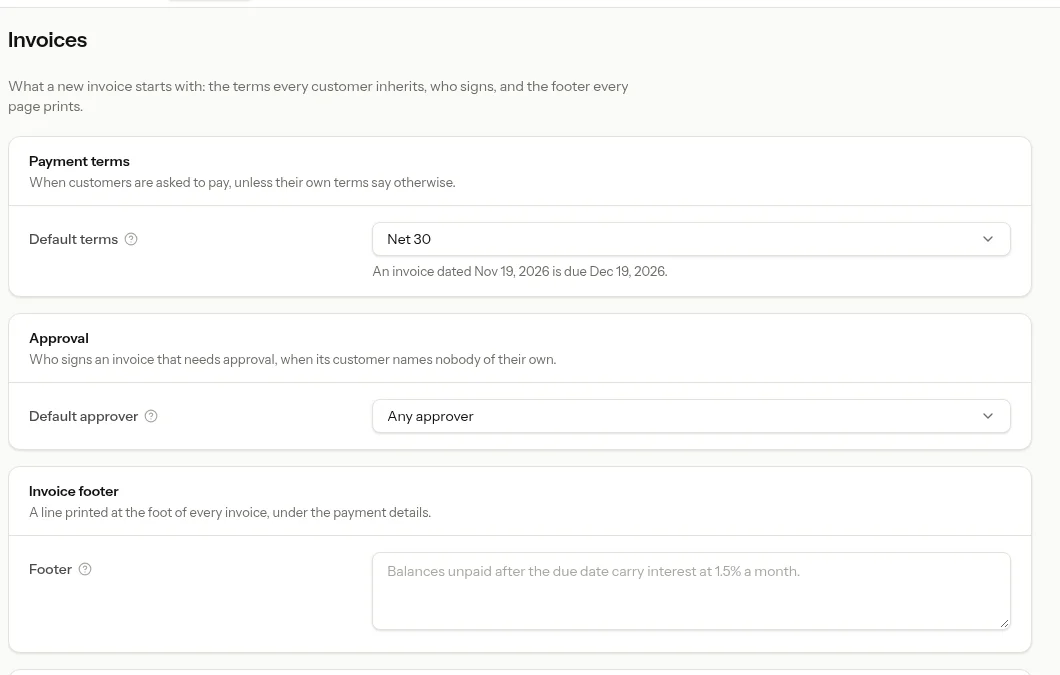
Settings > Invoices sets "What a new invoice starts with: the terms every customer inherits, who signs, and the footer every page prints."
A customer's own terms or approver take priority over these defaults.
How It Works
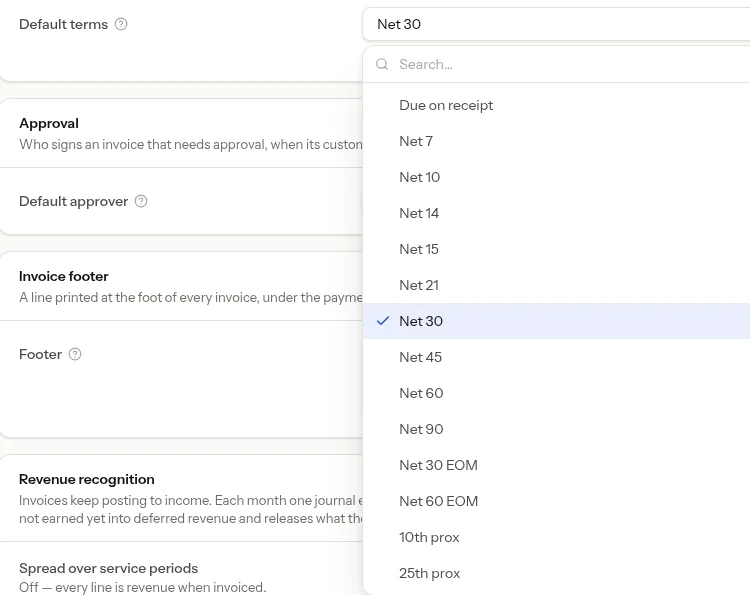
- Payment terms: "When customers are asked to pay, unless their own terms say otherwise." Choose from Due on receipt, Net 7, Net 10, Net 14, Net 15, Net 21, Net 30, Net 45, Net 60, Net 90, Net 30 EOM, Net 60 EOM, 10th prox and 25th prox.
- Approval: "Who signs an invoice that needs approval, when its customer names nobody of their own." Choose Any approver or a named member.
- Invoice footer: "A line printed at the foot of every invoice, under the payment details."
Set Default Payment Terms
- Open your organization's settings, then click Invoices.
- Under Payment terms, choose the Default terms.
- Check the worked example below it, which shows the due date for an invoice dated today.
Choose the Default Approver
Under Approval, choose the Default approver: Any approver, or a named member.
Write the Footer
Under Invoice footer, write the line every invoice prints, such as your late payment terms.
Tips
- Set a customer's own terms under their Prices > RULES when they differ from the default.
- Check the worked example to make sure the due date is what you expect.
- Keep the footer to one line of standing terms.
Frequently Asked Questions
Do customer terms override the default?
Yes. Default terms apply "unless their own terms say otherwise".
Where do I set an approver for one customer?
On the customer's billing profile, under Approver.
Where is my logo set?
In Settings > General, under your business details.