
Bill Lines From Orders Into an Invoice
Bring order lines that are ready to bill onto an invoice, so the invoice and the order stay in step.
2 min readUpdated
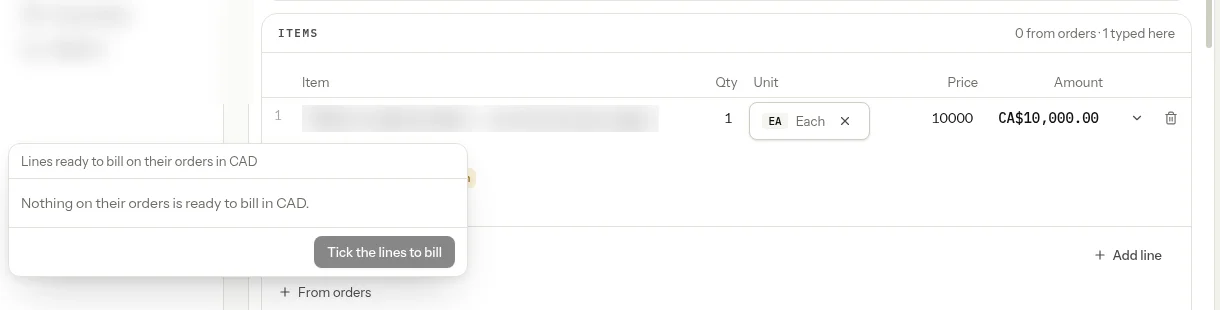
Invoices are billed from orders. On a draft invoice, + From orders lists "Lines ready to bill on their orders" in the invoice's currency.
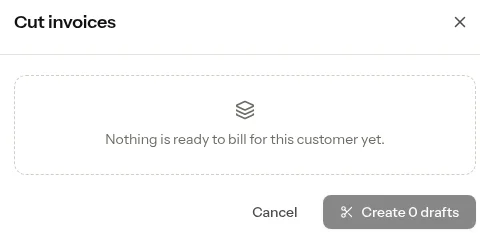
A customer's Orders page has Create invoices..., which drafts invoices from everything ready to bill for that customer.
How It Works
An order line can be billed when it is Ready to bill. Once billed, the line's Invoiced quantity goes up and its status changes to Invoiced.
ITEMS on the invoice counts where its lines came from, for example "0 from orders · 1 typed here".
When nothing is ready, + From orders says so, for example "Nothing on their orders is ready to bill in CAD."
Add Order Lines to a Draft Invoice
- Open a draft invoice, or click + New invoice on the Invoices list.
- Under ITEMS, click + From orders.
- Tick the lines to bill, then click Tick the lines to bill to add them.
- Check ITEMS. It shows how many lines came from orders and how many were typed.
Create Invoices for a Customer
- Open the customer and click Orders.
- Click Create invoices.... Cut invoices opens with what is ready to bill.
- Click Create drafts. Each draft waits in Needs review.
Check the Order Afterwards
- Open the order from Orders.
- Under LINES, check Invoiced for each line. A fully billed line shows Invoiced.
- BEFORE IT BILLS reads "Everything on it is invoiced" when nothing is left.
Tips
- Record deliveries first. Only lines that are ready to bill appear.
- Use the Ready to bill report to see every order that is ready.
- Typed lines are fine for one-off charges. Order lines keep the order and invoice in step.
Frequently Asked Questions
Why does From orders show nothing?
Nothing on the customer's orders is ready to bill in the invoice's currency yet.
Can I mix order lines and typed lines?
Yes. ITEMS counts both.
Can I bill several orders for a customer at once?
Yes. Use Create invoices... on the customer's Orders page.