
Customer Agreements and Renewals
See a customer's contracts, billing schedules and renewals together.
2 min readUpdated
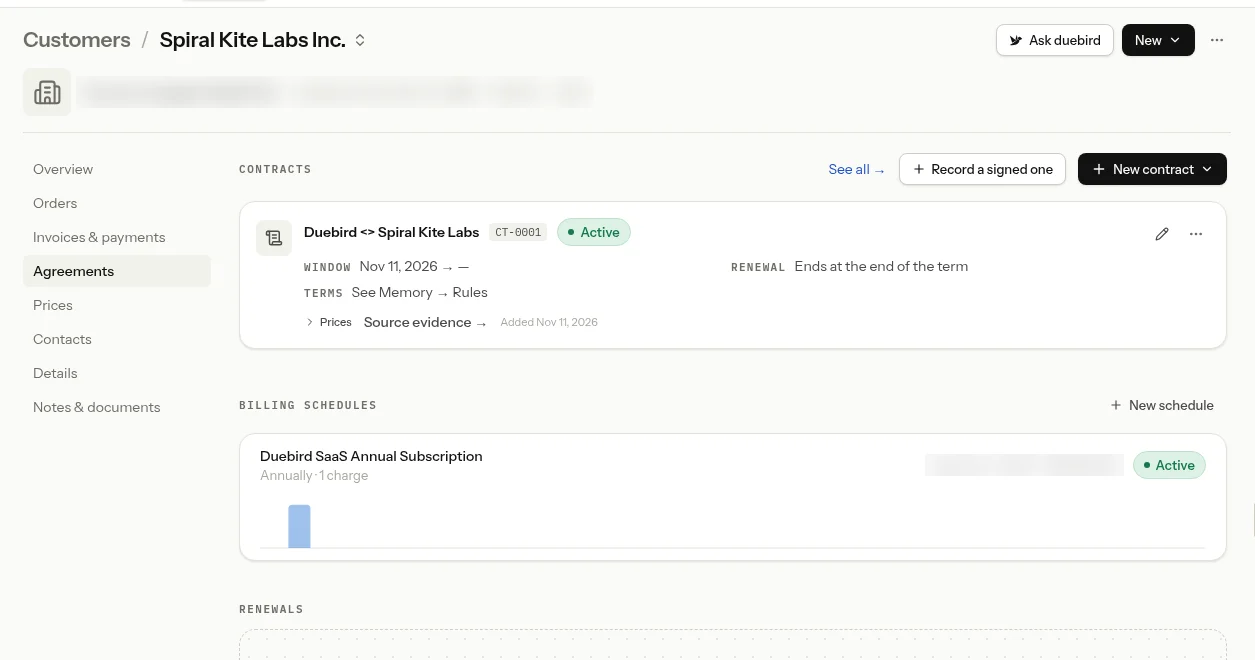
Agreements shows what the customer has signed and how they are billed on a cadence.
How It Works
Agreements has three parts:
- CONTRACTS, with See all, + Record a signed one and + New contract. Each card shows the contract name, number and status, its WINDOW, RENEWAL (for example "Ends at the end of the term"), TERMS, prices and source evidence.
- BILLING SCHEDULES, with + New schedule. Each shows its name, the next invoice date and amount, its status and cadence, for example "Annually · 1 charge".
- RENEWALS: when a renewal opens, set in Settings > Relationships.
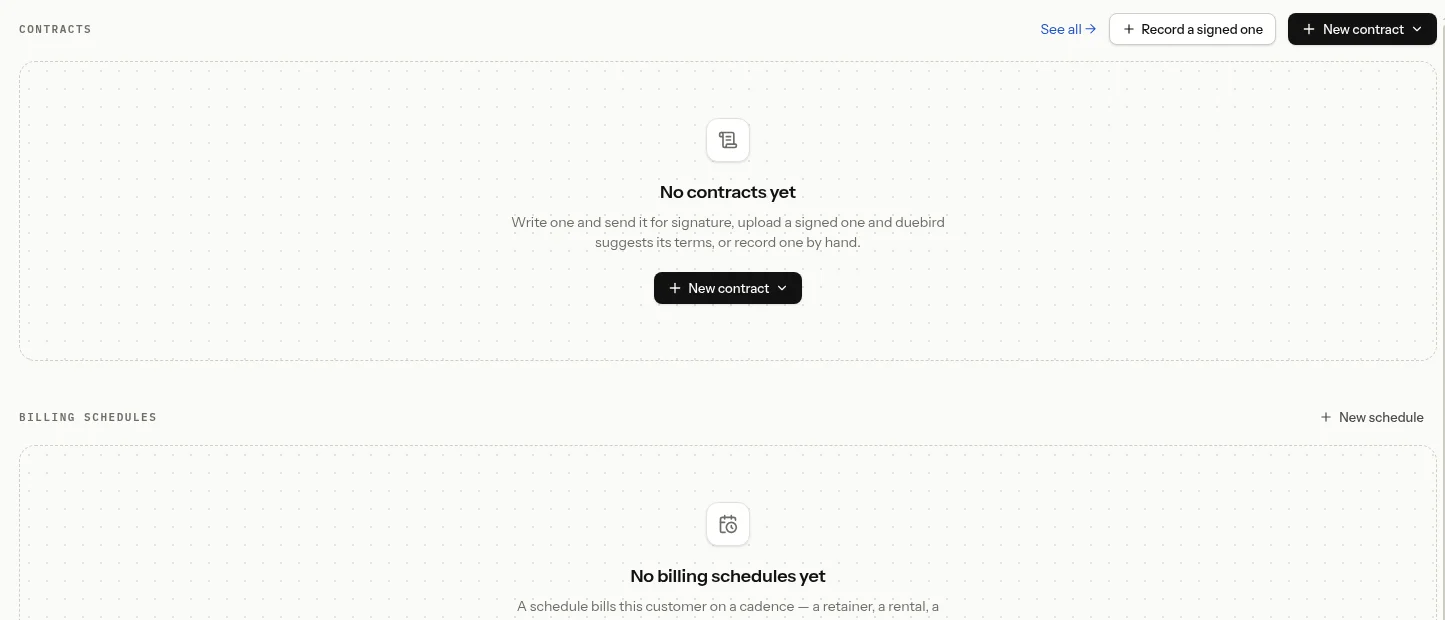
With no contracts yet, the page offers three ways in: "Write one and send it for signature, upload a signed one and duebird suggests its terms, or record one by hand."
Review a Customer's Agreements
- Open the customer and click Agreements.
- Under CONTRACTS, check each contract's window and renewal.
- Under BILLING SCHEDULES, check the next invoice date.
- Under RENEWALS, see what is coming up.
Add a Contract or Schedule
- On Agreements, click + New contract to write one, or + Record a signed one for a contract already signed.
- Click + New schedule to bill the customer on a cadence.
Tips
- Check Agreements before a renewal conversation.
- Record contracts signed outside duebird so their terms are in one place.
- A schedule bills "on a cadence, a retainer, a rental, a licence, without waiting for a document to arrive."
Frequently Asked Questions
Where is a customer's renewal date?
On each contract card under RENEWAL, and under RENEWALS.
Can I add a contract that was signed on paper?
Yes. Use + Record a signed one.
When does a renewal open?
A set number of days before the end, set in Settings > Relationships. See Relationship Emails: Check-ins and Renewals.