
Notes Versus Directives: What duebird Reads and What It Follows
Keep context about a customer as a note, or tell duebird what to do with a directive.
2 min readUpdated
A Note is "context duebird reads, never follows". A Directive is followed: "duebird follows it on every run".
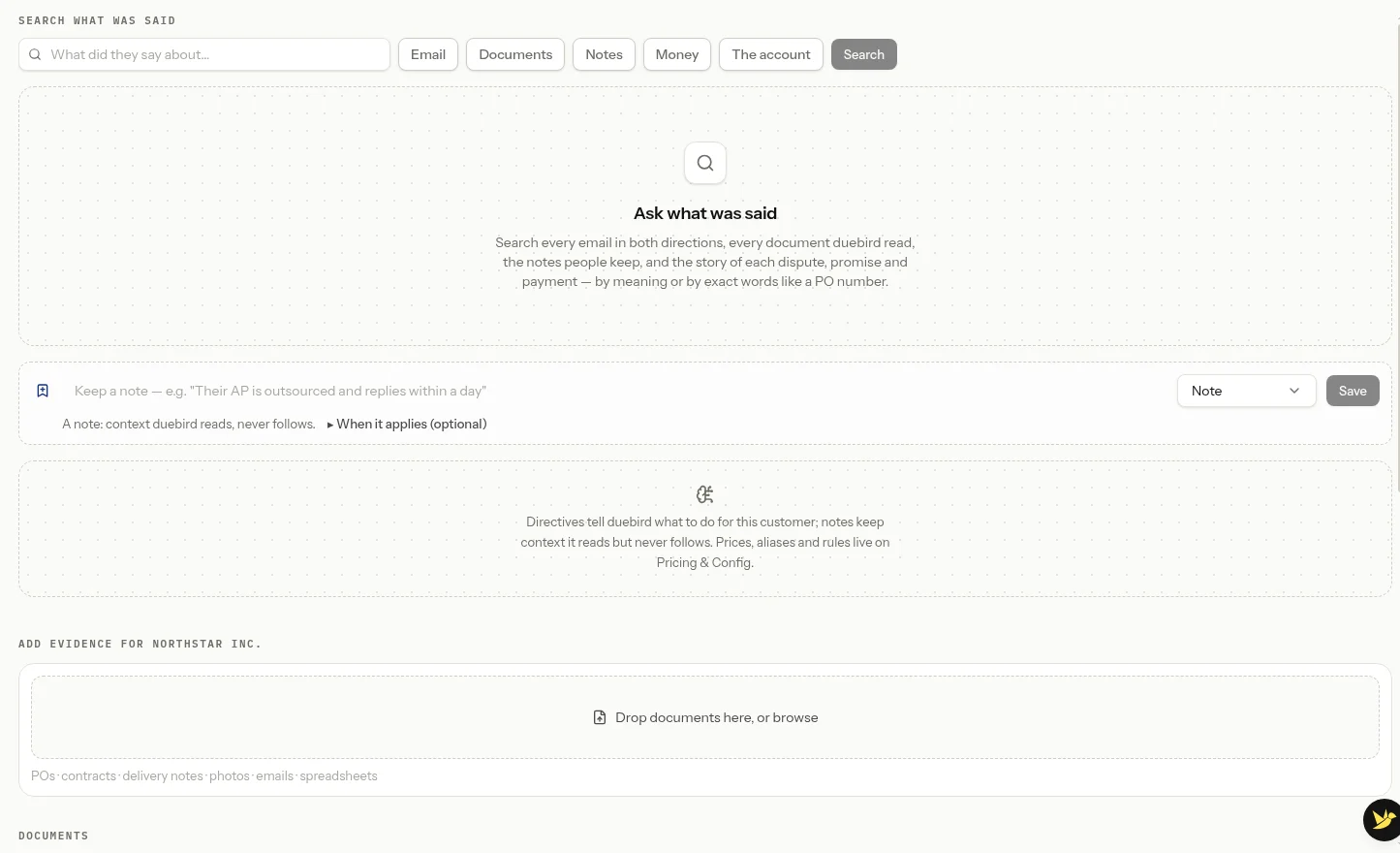
Both live in Notes & documents, next to a search of everything said with the customer.
How It Works
Notes & documents has four parts:
- SEARCH WHAT WAS SAID: every email, document, note and payment story for the customer, searchable by meaning or exact words like a PO number. Narrow it to Email, Documents, Notes, Money or The account.
- A note box, with a choice of Note or Directive, and an optional When it applies with From and Until dates.
- ADD EVIDENCE: drop documents such as POs, contracts, delivery notes, photos, emails and spreadsheets.
- DOCUMENTS: what is on file for the customer.
Directives suit standing instructions, such as:
- "Attach the signed timesheet to every invoice."
- "Never chase their AP before the 15th."
- "Hold invoices that include travel costs."
- "Submit invoices through their supplier portal."
Prices, aliases and rules are not notes. They live in their own sections.
Keep a Note or Directive
- Open the customer and click Notes & documents.
- Type in the note box.
- Choose Note or Directive.
- Set When it applies if it only holds for a time.
- Click Save.

Search What Was Said
- Type a question or exact words, such as a PO number.
- Pick a filter if you want, then click Search.
Tips
- Use a note for background. Use a directive only when duebird should act on it.
- Keep each directive to one clear instruction.
- Use When it applies for instructions that only hold for a time.
Frequently Asked Questions
Will duebird act on a note?
No. Notes are context duebird reads but never follows.
How often does duebird follow a directive?
On every run, for as long as it applies.
Where do I put a customer's special price?
In Prices, not in a note.