
Read Customer Health and Aging
Use the Overview and Invoices & payments sections to see how a customer pays and what they owe.
2 min readUpdated
Overview tells you how the account is doing at a glance. Invoices & payments shows exactly what is owed and how old it is.
How It Works
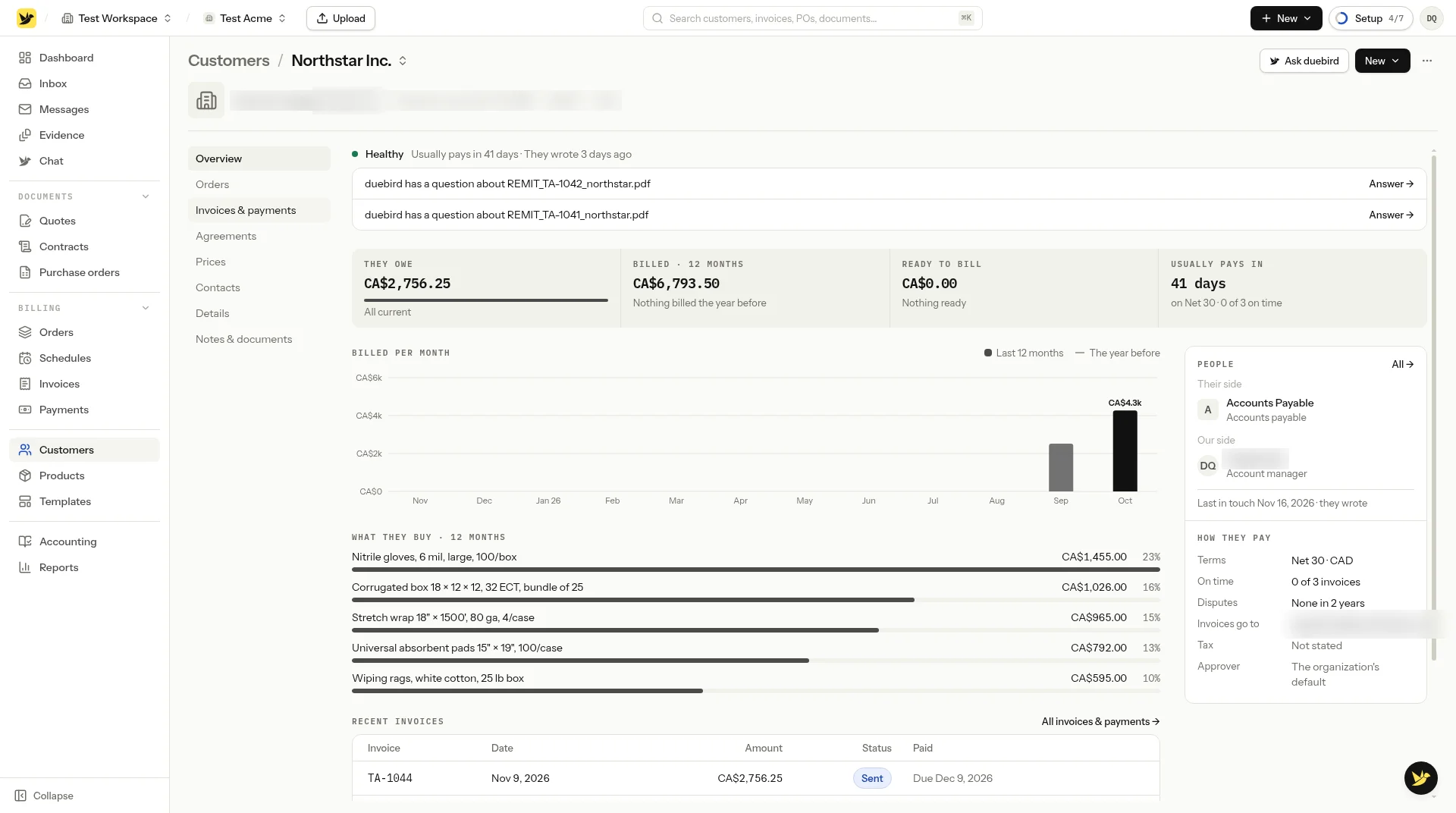
Overview starts with a health line, for example "Healthy" and "Nothing waits on you". Questions duebird is holding about the customer's documents appear here with Answer.
Below it:
- THEY OWE, BILLED · 12 MONTHS, READY TO BILL and USUALLY PAYS IN, with how many invoices were paid on time.
- BILLED PER MONTH: the last 12 months against the year before.
- WHAT THEY BUY · 12 MONTHS: their top products and share.
- RECENT INVOICES.
- PEOPLE: their side and our side, with when you were last in touch.
- HOW THEY PAY: terms, on-time record, disputes, where invoices go, tax and approver.
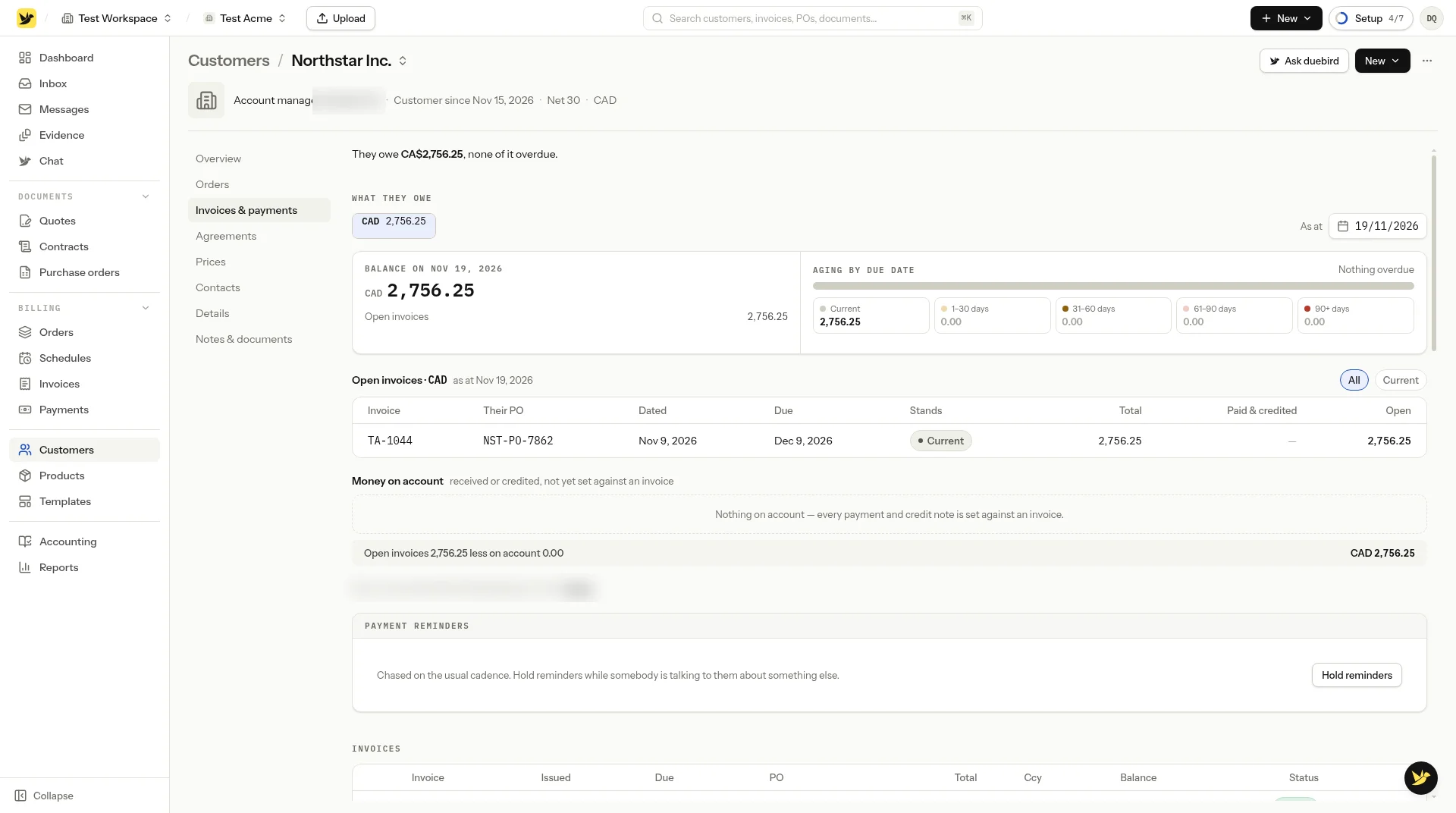
Invoices & payments opens with a sentence saying what they owe and how much of it is overdue.
Read the Overview
- Open the customer. Overview opens first.
- Read the health line and answer any questions duebird is holding.
- Check USUALLY PAYS IN and HOW THEY PAY to see whether they pay on time.
Read the Aging
- Click Invoices & payments.
- Under WHAT THEY OWE, change As at to see the balance on another date.
- Read AGING BY DUE DATE: Current, 1-30 days, 31-60 days, 61-90 days and 90+ days.
- Under Open invoices, check each invoice: Their PO, Dated, Due, Stands, Total, Paid & credited and Open.
Tips
- Read the Overview before any call with the customer.
- Use As at to answer "what did we say they owed at month end?"
- Compare USUALLY PAYS IN with their terms to spot slow payers early.
Frequently Asked Questions
How do I see what a customer owed on a past date?
Change As at under WHAT THEY OWE.
Where do I see whether a customer pays on time?
Under USUALLY PAYS IN and HOW THEY PAY on the Overview.
What are the questions at the top of the Overview?
Questions duebird is holding about the customer's documents. Click Answer to respond.