
Customer Prices and Billing Rules
Keep a customer's own prices, product settings and billing rules in one place, with a history of every change.
2 min readUpdated
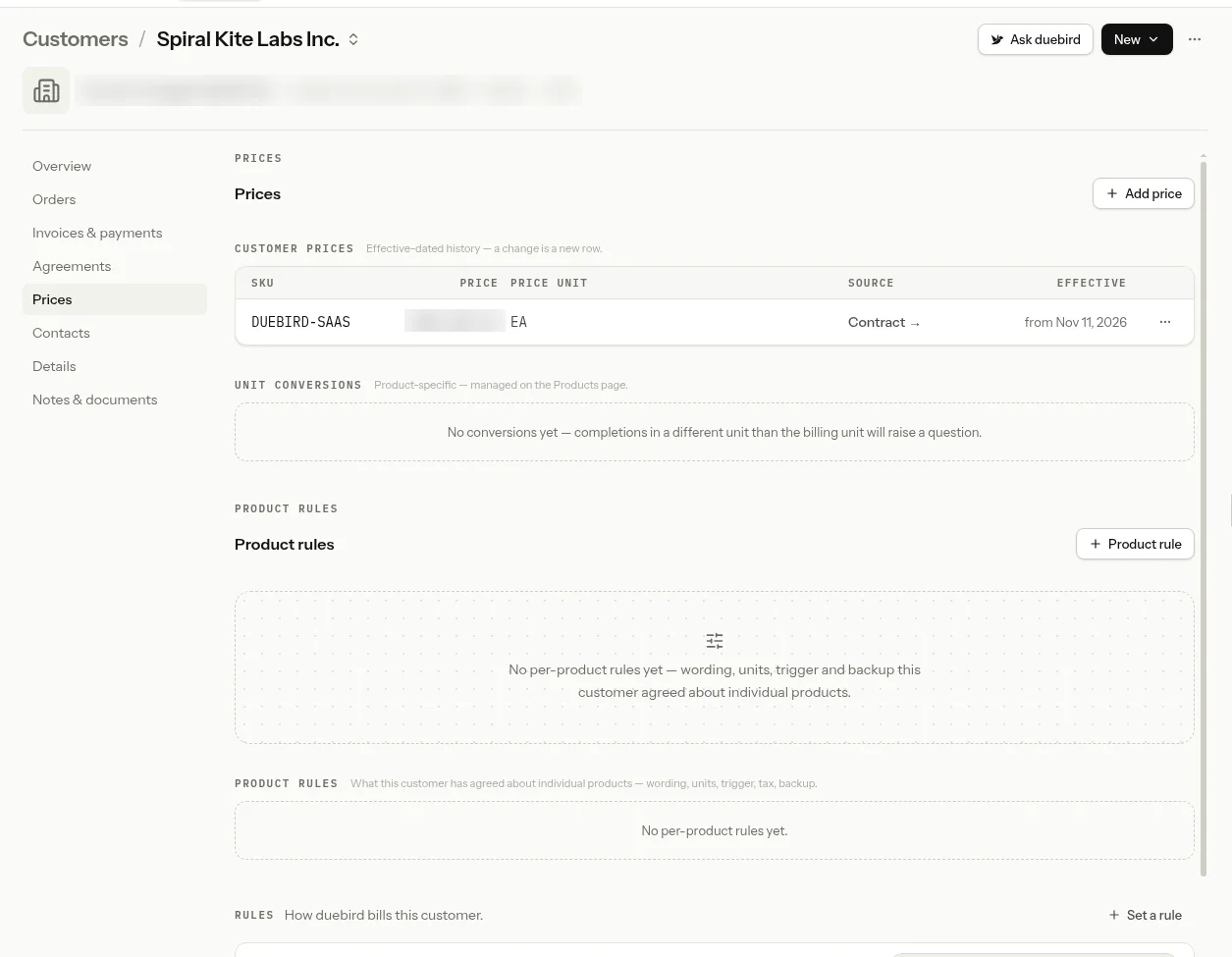
The Prices section holds what this customer pays and how duebird bills them.
Prices are effective-dated: "a change is a new row", so the history is never lost.
How It Works
Prices has four parts:
- CUSTOMER PRICES: SKU, price, price unit, source and effective date. A price from a contract shows Contract as its source.
- UNIT CONVERSIONS: "Product-specific, managed on the Products page."
- PRODUCT RULES: "What this customer has agreed about individual products: wording, units, trigger, tax, backup", with + Product rule.
- RULES: "How duebird bills this customer", with + Set a rule. With none, payment terms show "From the organization default".
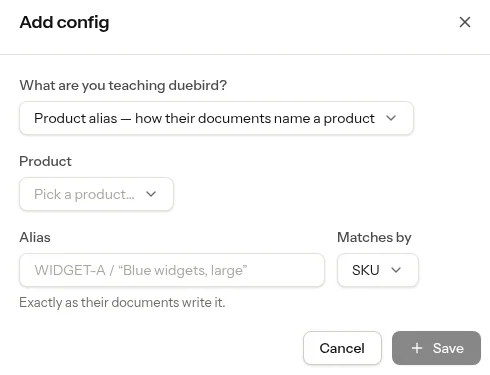
+ Add price opens "What are you teaching duebird?", with three choices: Product alias, Unit alias and Customer price.
Add a Customer Price
- Open the customer and click Prices.
- Click + Add price and choose Customer price.
- Fill in the product and price, then save.
Set a Product Rule
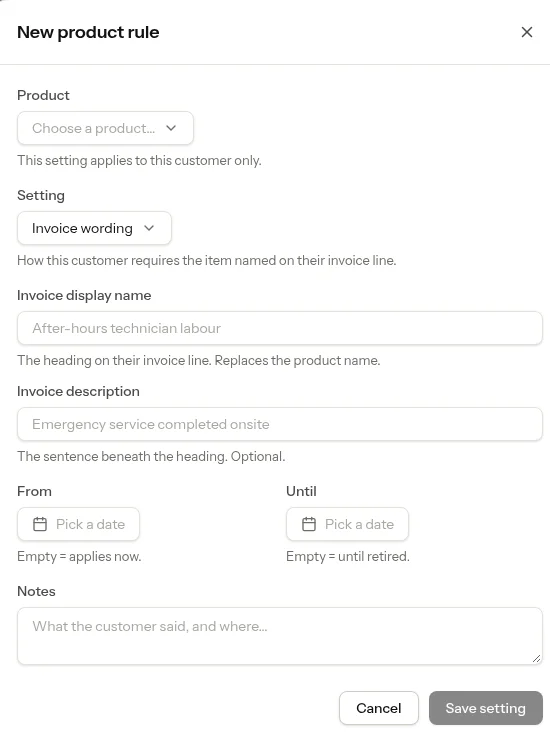
- Under PRODUCT RULES, click + Product rule and choose the product.
- Choose the Setting: Invoice wording, Billing unit, Price unit, Allowed billing units or Billing trigger.
- For invoice wording, fill in the Invoice display name and Invoice description.
- Set From ("Empty = applies now.") and Until ("Empty = until retired."), add Notes, and click Save setting.
"This setting applies to this customer only."
Set a Billing Rule
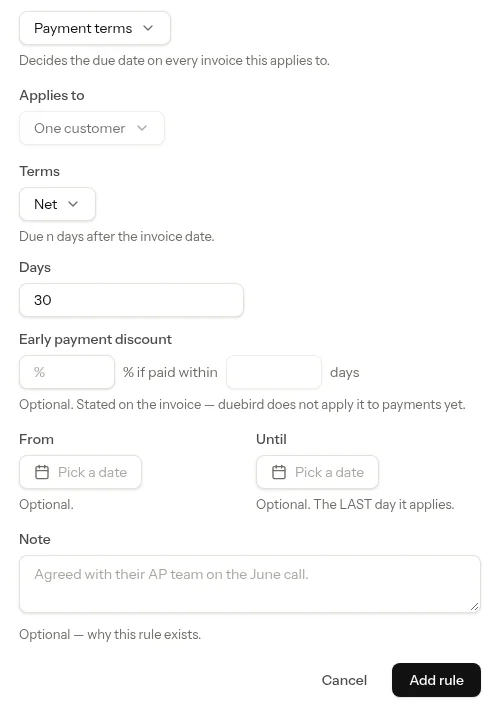
- Under RULES, click + Set a rule.
- Choose the rule: Payment terms, Purchase order required, Price difference tolerance or Partial invoices.
- For payment terms, choose Net, End of month, Prox or Due on receipt, and the days.
- Add an early payment discount if agreed. It is "Stated on the invoice: duebird does not apply it to payments yet."
- Set From and Until if the rule only applies for a time, then click Add rule.
Tips
- Let duebird suggest prices from the customer's documents, then accept the ones that are right.
- Change a price by adding a new row so the history stays clear.
- Put agreed terms in a rule, not a note, so invoices follow them.
Frequently Asked Questions
What happens to old prices when one changes?
They stay. A change is a new row with its own effective date.
Does a product rule affect other customers?
No. It applies to this customer only.
What if a customer has no payment terms rule?
They use the organization default from Settings > Invoices.