
Relationship Emails: Check-ins and Renewals
Set how often accounts are checked in on, when renewals open, and whether duebird drafts relationship emails.
1 min readUpdated
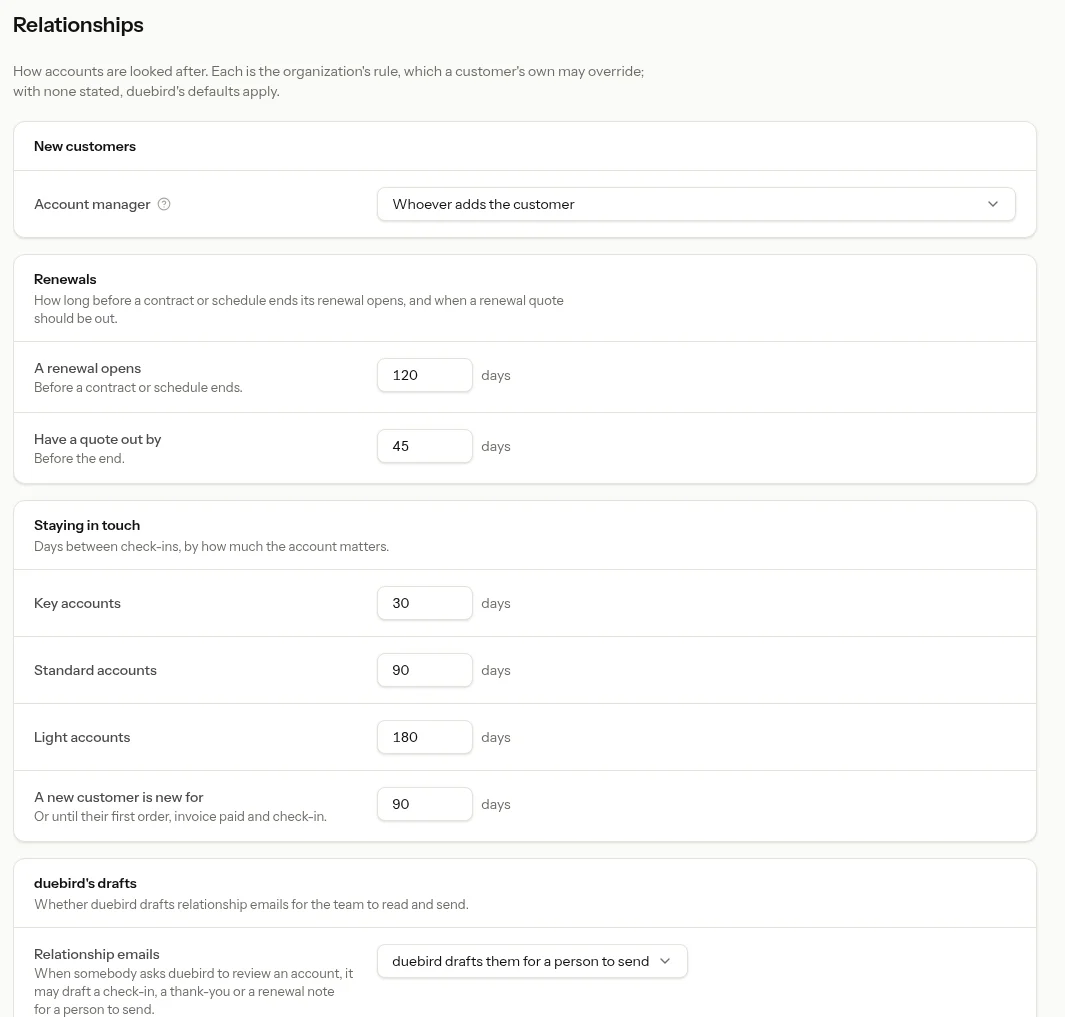
Settings > Relationships sets "How accounts are looked after".
Each rule is the organization's rule, which a customer's own may override. With none stated, duebird's defaults apply.
How It Works
The page has four parts:
- New customers: who becomes the Account manager, for example "Whoever adds the customer".
- Renewals: "A renewal opens" a number of days before a contract or schedule ends, and you "Have a quote out by" a number of days before the end.
- Staying in touch: days between check-ins by how much the account matters. For example, Key accounts every 30 days, Standard accounts every 90 and Light accounts every 180. "A new customer is new for" 90 days, "Or until their first order, invoice paid and check-in."
- duebird's drafts: whether duebird drafts relationship emails "for the team to read and send". When somebody asks duebird to review an account, "it may draft a check-in, a thank-you or a renewal note for a person to send."
Review Relationship Settings
- Open your avatar menu and choose your organization's settings.
- Click Relationships.
- Set the renewal days and the check-in days for each kind of account.
- Under duebird's drafts, choose whether duebird drafts relationship emails.
Tips
- Give your most important accounts the shortest check-in cadence.
- Leave enough time between a renewal opening and the quote deadline.
- Relationship emails are drafts. A person always reads and sends them.
Frequently Asked Questions
Does duebird send check-in emails itself?
No. It drafts them for a person to send.
Can one customer follow different rules?
Yes. A customer's own rules may override the organization's.
When does a renewal open?
A set number of days before a contract or schedule ends, set under Renewals.