
How Reminder Drafts Work: duebird Drafts, You Send
duebird drafts a reminder for each invoice that should be chased. Nothing goes out until you read it and send it.
2 min readUpdated
Every hour, duebird looks for invoices to chase and drafts a reminder for each one.
Nothing is sent automatically. You read each draft and send it yourself.
How It Works
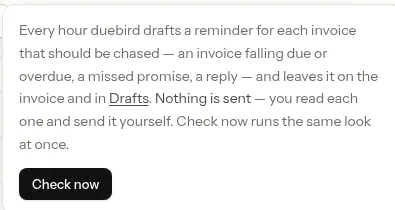
The Reminders button on the Invoices page explains the rule: "Every hour duebird drafts a reminder for each invoice that should be chased (an invoice falling due or overdue, a missed promise, a reply) and leaves it on the invoice and in Drafts. Nothing is sent: you read each one and send it yourself." Check now runs the same look at once.
Reminders move through stages as an invoice gets later: courtesy, reminder, firm (about two weeks late), escalate (about a month late) and final reminder.
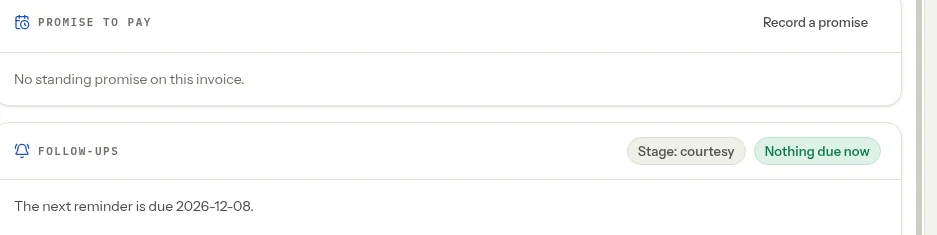
Each issued invoice has a FOLLOW-UPS block on its Payments tab, with its stage, whether anything is due now, and the next reminder date. A paid invoice reads Not chasing.
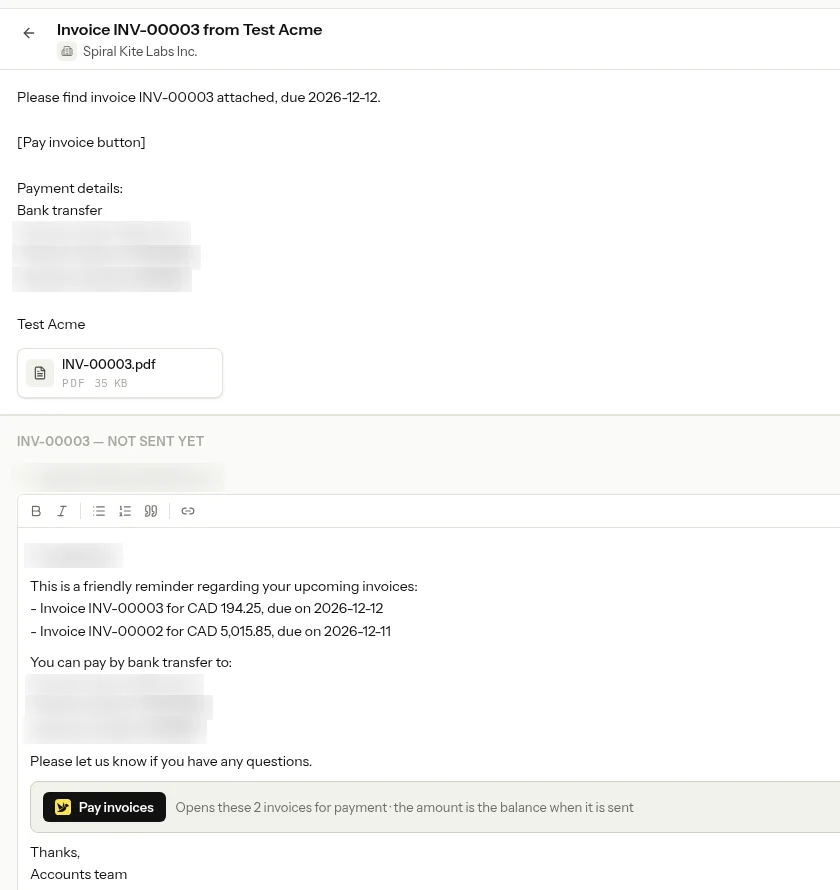
A reminder draft in Messages > Drafts is marked "NOT SENT YET". It can cover several open invoices for the customer, attaches their PDFs, includes a Pay invoices button, and shows its stage with See why.
Check What duebird Will Chase
- Click Invoices in the sidebar.
- Click Reminders to read how it works, and Check now to run the check straight away.
Read an Invoice's Follow-ups
- Open an issued invoice and click the Payments tab.
- Under FOLLOW-UPS, read the stage and the next reminder date.
Send a Reminder Draft
- Open Messages > Drafts.
- Open the reminder. Click See why to read why duebird drafted it.
- Edit the message if needed, then send it.
Chase an Invoice Now
- Open the invoice and click Follow up in the header.
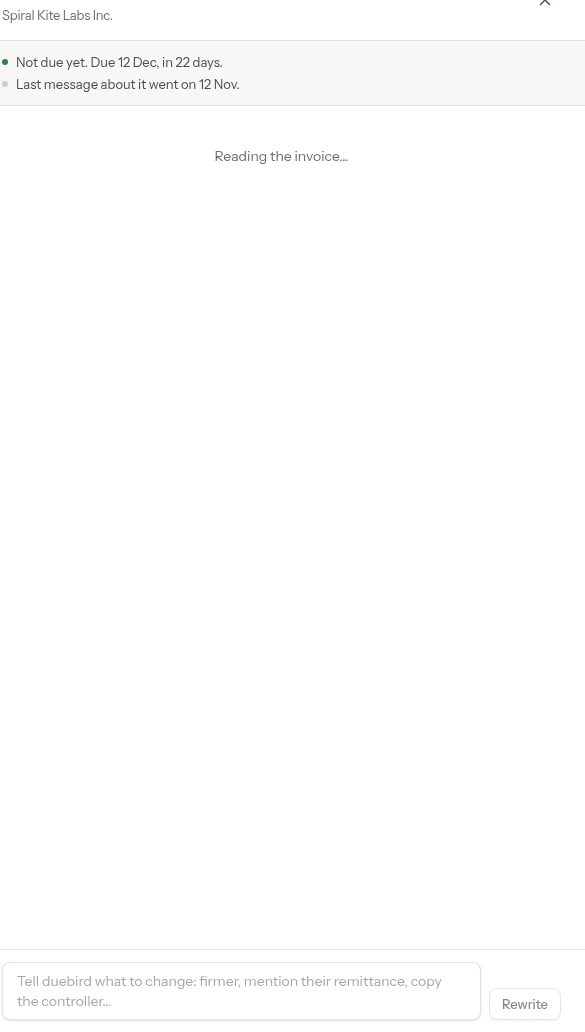
- duebird reads the invoice and drafts a follow-up, showing when it is due and when you last wrote about it.
- To change the draft, tell duebird what to change, such as "firmer" or "mention their remittance", and click Rewrite.
Tips
- Look through Drafts every day so reminders go out on time.
- Use Follow up when you want to chase before the next reminder date.
- Hold reminders for a customer when someone is already talking to them. See Hold Reminders for a Customer.
Frequently Asked Questions
Does duebird email customers on its own?
No. duebird drafts reminders. You read each one and send it yourself.
How often does duebird check?
Every hour. Check now runs the check at once.
Why is a reminder firmer than the last one?
The invoice has moved to a later stage, such as firm or escalate.