
Record a Delivery or Completed Service
Record what was delivered or done against an order line, so it is ready to bill.
1 min readUpdated
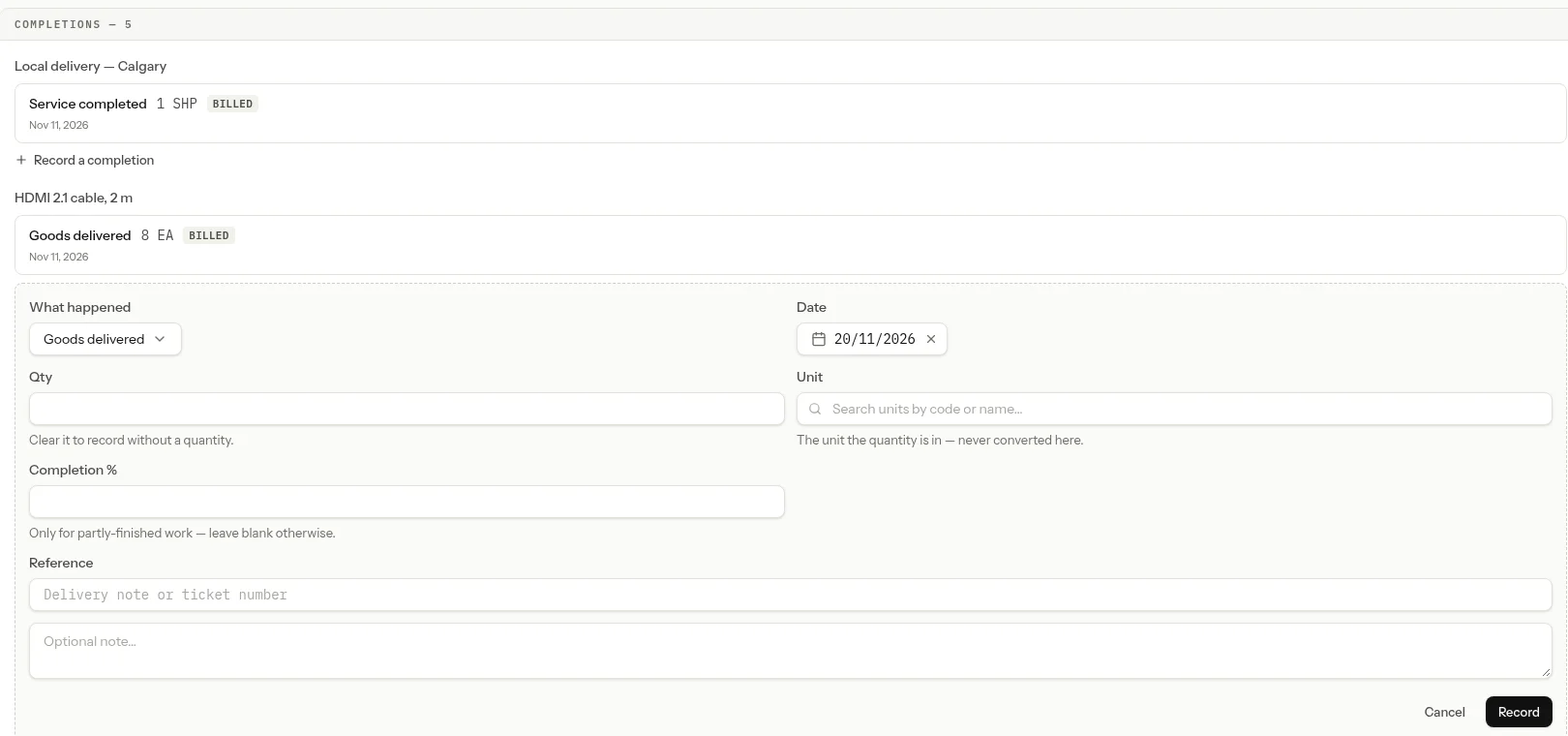
A completion records that goods were delivered or work was done on an order line.
Each completion shows whether it has been BILLED.
How It Works
The order's Completions tab lists each line with the completions recorded against it, and a Record a completion link under each line.
The form asks:
- What happened: for example Goods delivered.
- Date.
- Qty: "Clear it to record without a quantity."
- Unit: "The unit the quantity is in: never converted here."
- Completion %: "Only for partly-finished work: leave blank otherwise."
- Reference: a delivery note or ticket number, and an optional note.
Record a Completion
- Open the order and click Completions.
- Under the line, click Record a completion.
- Choose What happened and the Date.
- Enter the Qty and Unit, or a Completion % for work that is partly finished.
- Add the delivery note or ticket number under Reference.
- Click Record.
Tips
- Always add the delivery note or ticket number. It is the proof behind the invoice line.
- Record the unit the customer received. duebird does not convert units here.
- Use Completion % only for work that is partly finished.
Frequently Asked Questions
Can I record a completion without a quantity?
Yes. Clear Qty.
What if the delivery was in a different unit?
Record it in the unit received. A pack size on the product tells duebird how it bills. See Units of Measure and Pack Sizes.
How do I know a completion has been billed?
It shows BILLED on the Completions tab.