
Track Ordered, Delivered and Invoiced Quantities
Read an order's totals, lines, completions and timeline to see what is delivered, billed and still waiting.
2 min readUpdated
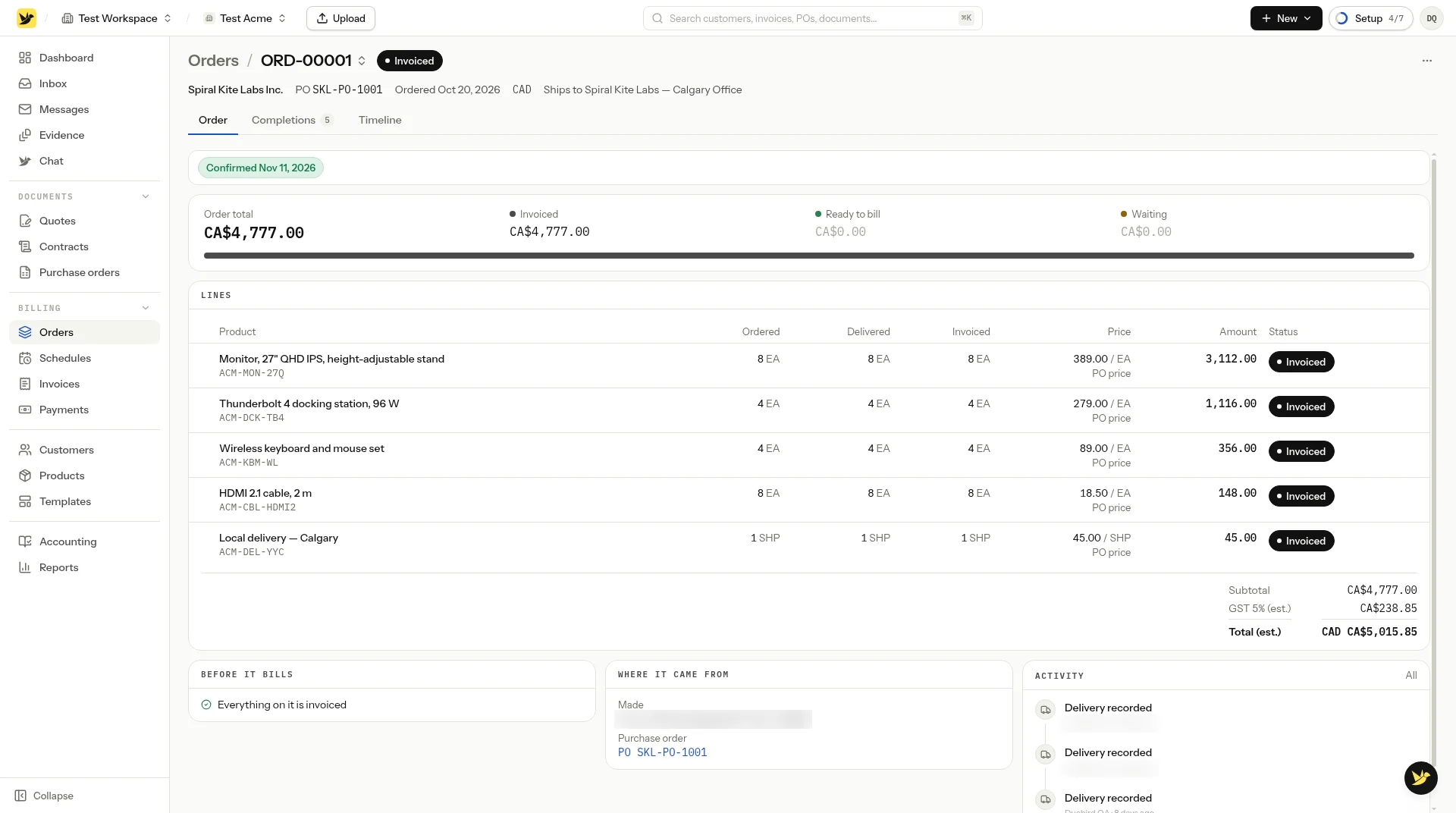
Every order line tracks three quantities: Ordered, Delivered and Invoiced.
The order's totals show how much is invoiced, ready to bill and still waiting, so you can see at a glance what is left to bill.
How It Works
An order has three tabs:
- Order: totals, lines, estimated tax, BEFORE IT BILLS, WHERE IT CAME FROM and ACTIVITY.
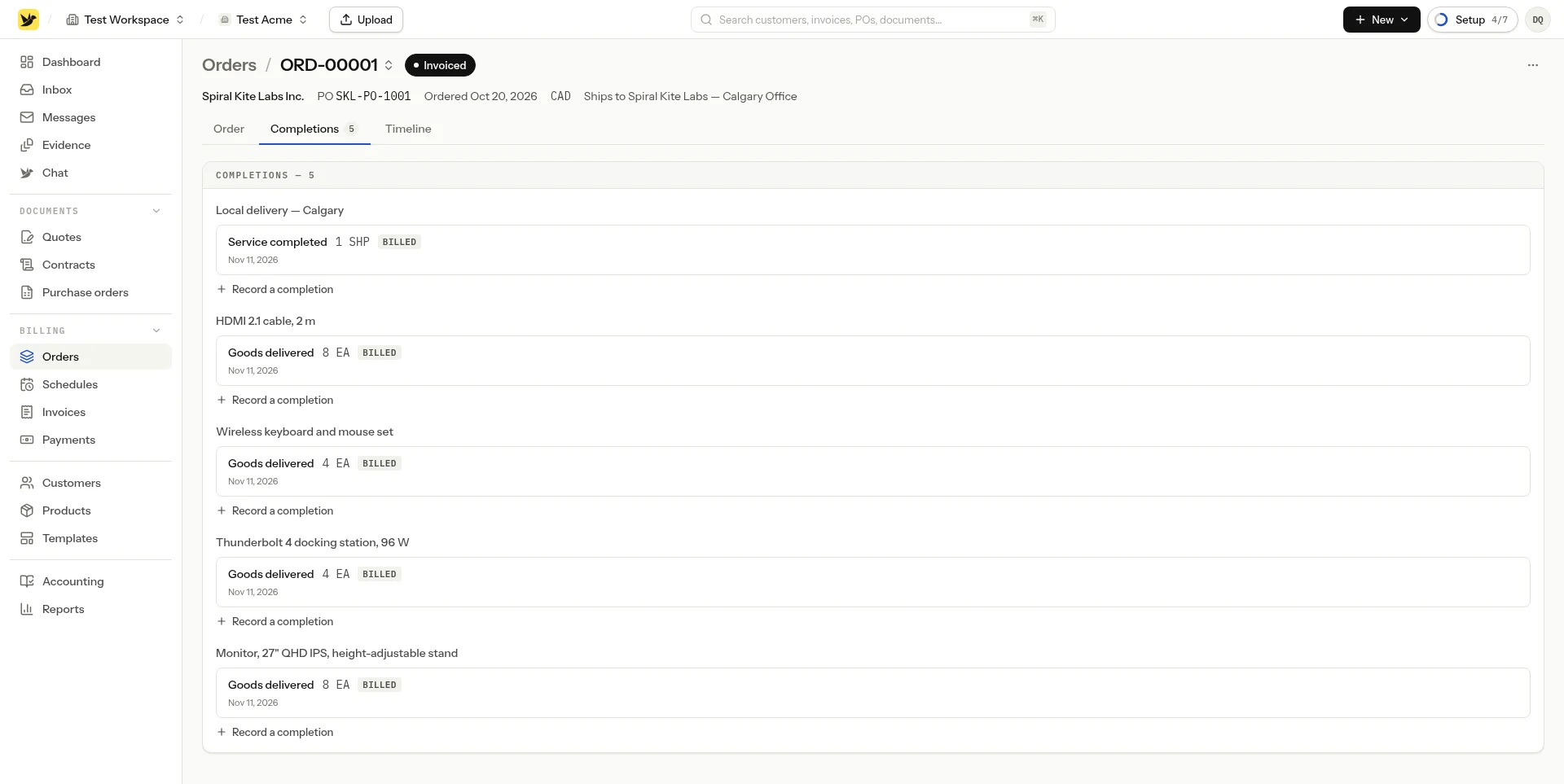
- Completions: each delivery or completed service recorded against the order, with + Record a completion.
- Timeline: events such as "Delivery recorded", with who and when.
The totals across the top read Order total, Invoiced, Ready to bill and Waiting.
Read the Order Tab
- Open the order from Orders.
- Check the totals: Order total, Invoiced, Ready to bill and Waiting.
- Under LINES, read Product, Ordered, Delivered, Invoiced, Price, Amount and Status for each line.
- Below the lines, check the subtotal, the estimated tax (for example "GST 5% (est.)") and the estimated total.
- Read BEFORE IT BILLS for anything that holds up billing. When nothing does, it reads, for example, "Everything on it is invoiced".
Check Completions
- Click Completions. The tab shows how many completions are recorded.
- Each line lists what was recorded, for example "Goods delivered 8 EA" or "Service completed 1 SHP", the date and whether it is BILLED.
Follow the Timeline
Click Timeline to see each event on the order, such as "Delivery recorded", with who did it and when. The ACTIVITY box on the Order tab shows the same events in short.
Tips
- Watch Waiting in the totals. It shows what is ordered but not yet ready to bill.
- Use the Completions tab to check a delivery before you bill it.
- Tax on an order is an estimate. The invoice works out the final tax.
Frequently Asked Questions
What is the difference between delivered and invoiced?
Delivered is what has been recorded as delivered or completed. Invoiced is what has been billed on an invoice.
Where do I see who recorded a delivery?
On the Timeline tab, and in ACTIVITY on the Order tab.
Is the tax on an order final?
No. It is shown as an estimate, for example "GST 5% (est.)".