
duebird Prepares, You Decide: Approvals and the Assistant
What duebird does on its own, what waits for a person, and where you approve its work.
3 min readUpdated
duebird does the reading and drafting. People keep the decisions that reach a customer. duebird reads documents, drafts invoices and reminders, and proposes changes. When it reaches something it cannot settle, it stops and asks.
Invoices are approved before they are issued. Reminders stay drafts until someone on your team reads and sends them.
How It Works
Each part of Duebird splits the work the same way: duebird prepares, and a person confirms. To approve invoices you need a role that can approve, such as Approver or Org admin. An admin can set a default approver in Settings > Invoices.
- Upload and email: duebird reads the document and asks about anything unclear. You answer its questions. "Nothing is written until you answer."
- Review: duebird proposes changes and explains them. You accept or decline each one, then save. "nothing changes until you save"
- Invoices: duebird drafts invoices from orders, schedules or documents. You approve, then issue and send. "A draft, sent after approval"
- Reminders: duebird drafts a reminder every hour for invoices that should be chased. You read and send each one. "Nothing is sent: you read each one and send it yourself."
- Relationship emails: duebird drafts check-in, thank-you and renewal emails. You send them. "duebird drafts them for a person to send"
See What duebird Is Waiting On
If duebird cannot settle something, it stops and waits. You will see it in three places:
- Dashboard > NEEDS YOU: the To confirm tile counts "questions duebird is holding for you".
- Dashboard > FROM DUEBIRD: each waiting item reads "is waiting on your answers" with an Answer button.
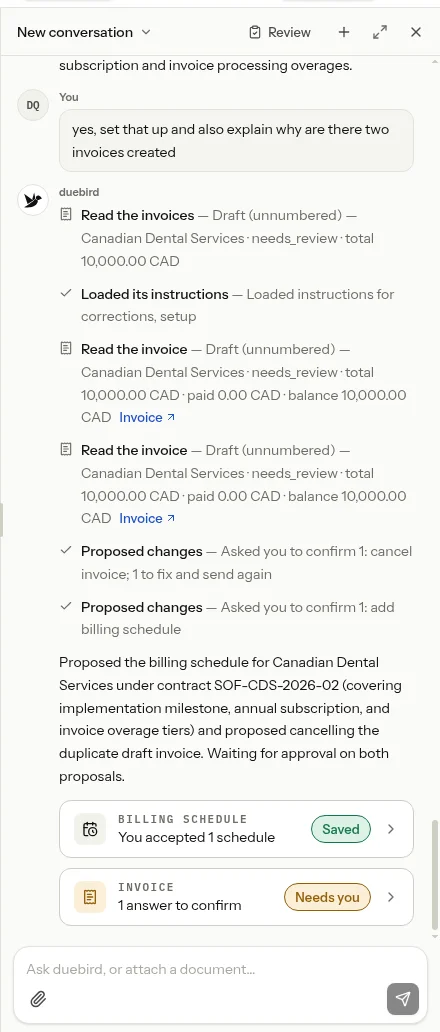
- The floating bird button at the bottom right shows a badge, for example "1 conversation waiting on you".
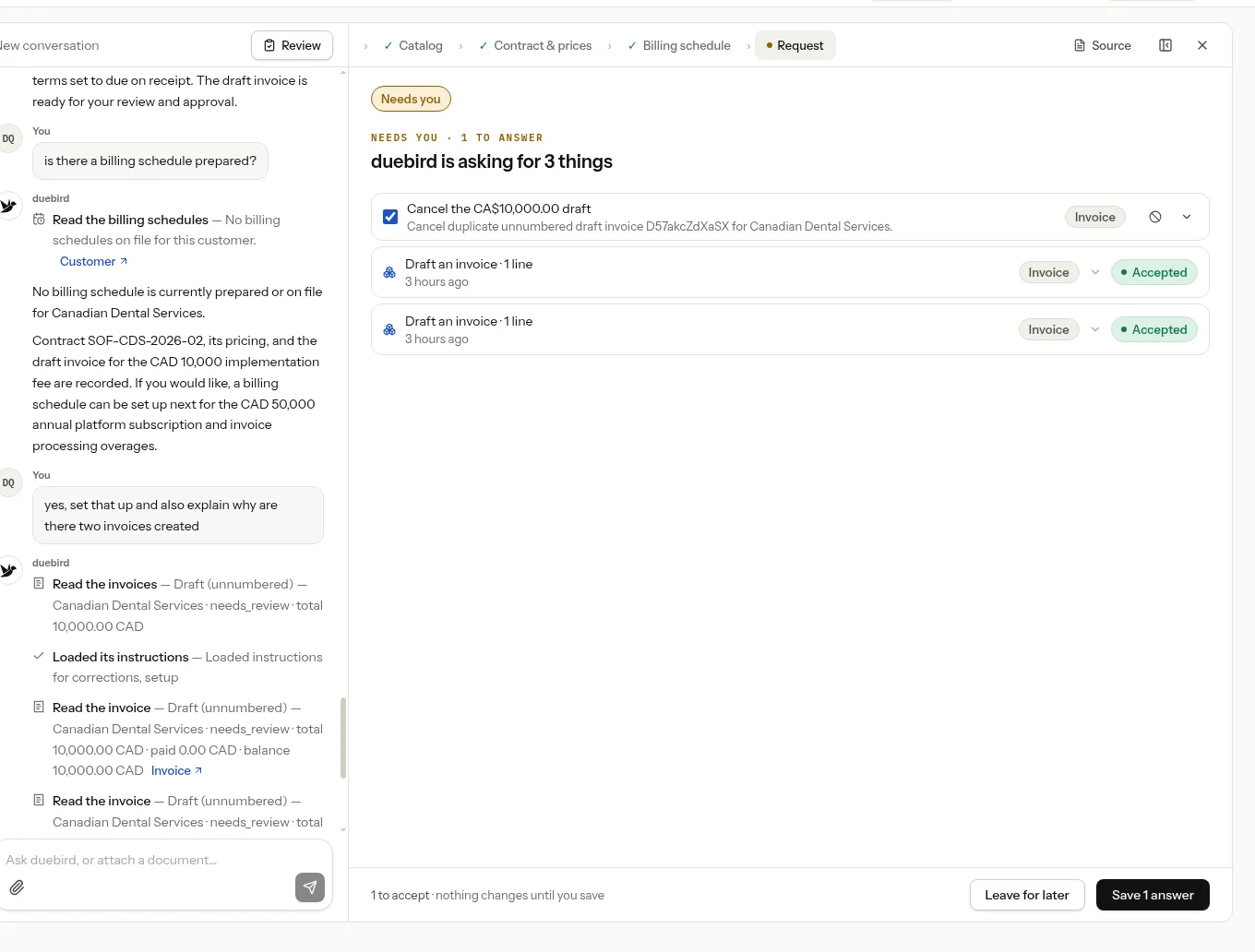
For the full steps, see Answer duebird's Questions.
Read the Invoice Approval Stages
Every invoice starts as a draft and must be approved before it is issued.
- Draft / Needs review: an editable draft. duebird flags problems, such as "tax unknown on 1 line". A draft can be cancelled.
- Awaiting approval: submitted for approval. The Dashboard shows the total under Awaiting approval.
- Approved: approved and ready to issue.
- Issued: numbered and locked. "Issued. It can no longer be changed: correct it with a credit note."
- Sent: delivered to the customer. The Delivery tab shows the recipient, subject, attachments and time.
- Paid / Cancelled: settled in full, or cancelled.
The Dashboard also tracks how often duebird's drafts go out unchanged. FROM DUEBIRD shows a line such as "100% of duebird's drafts sent as written", with counts for the last 30 days.
Tips
- When you ask duebird to do something in Chat, read the steps it lists and the result at the end of the conversation.
- Use Source in the review pane to check the original document before you accept a proposal.
- If you set up an email agent, it answers plain customer requests, such as an invoice copy, on emails a teammate copies it on. You choose which abilities it has.
Frequently Asked Questions
Can duebird send a reminder without me?
No. "Nothing is sent: you read each one and send it yourself." Reminder drafts sit on the invoice and in Messages > Drafts.
Can I change an issued invoice?
No. An issued invoice is locked. Correct it with a credit note.