
Create a Contract Template With Fields
Set up the wording a contract starts from, who signs it and the fields it asks for.
2 min readUpdated
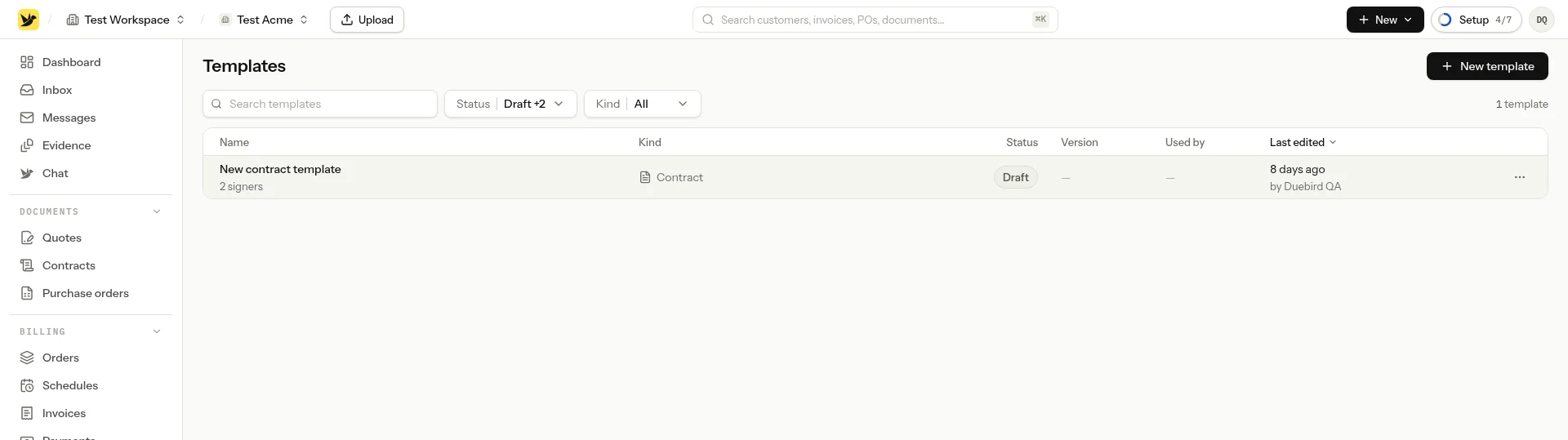
Templates in the sidebar holds your contract templates: the wording a contract starts from, who signs it and the fields it asks.
A template stays a draft, "Not published · no contract can use it yet", until you publish it.
How It Works
The Templates list shows each template's Name, Kind, Status, Version, Used by and Last edited. Search templates, or filter by Kind (Contract) and Status: Draft, Published, Changes not published and Retired. Retired templates are hidden unless you tick Retired.
The template editor is the same document editor contracts use. Variables are values filled in for each contract, such as Client company. Signer fields come from the Signers panel. All show as chips, for example Client company, Client signature, Client name, Client signed date, Us signature, Us name and Us signed date. Required fields are starred.
Start a Template
- Click Templates in the sidebar.
- Click + New template.
Write the Wording and Add Fields
- Write the agreement. Use the Outline to move between sections, and press space on an empty line to ask duebird for wording.
- To add a variable, type {{ in the page. "Type {{ in the page to add one."
- Click Variables on the right edge to see each variable with its type and whether it is required, for example Client company, Text, required.
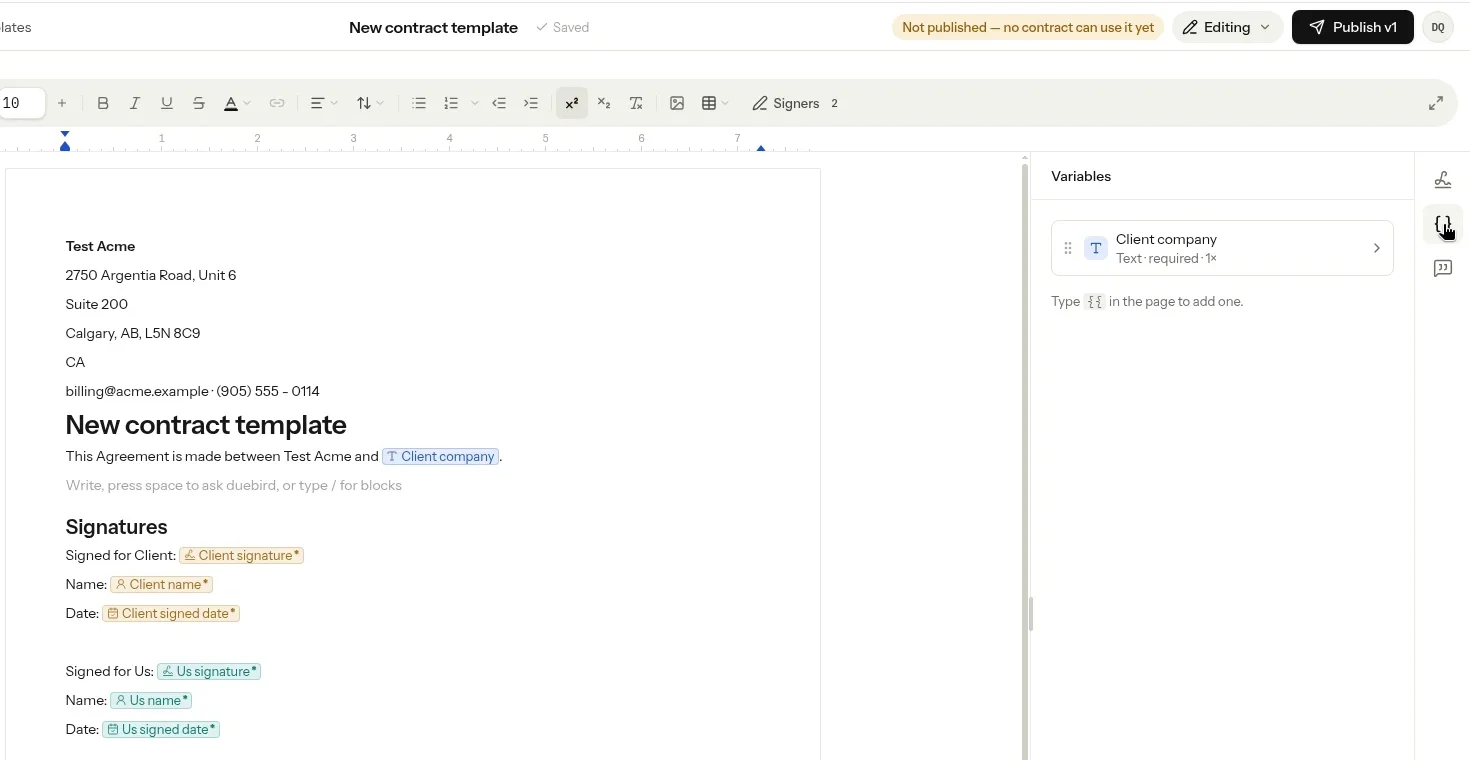
- Click Signers on the right edge to place signer fields, the same way as in a contract. See Write a Contract and Add Signers.
- Check the chips in the text and in the signature blocks, one set for the client and one for your side.
- When the template is ready, click Publish v1. See Publish a Contract Template and See Where It Is Used.
Tips
- Put the parts that change per customer, such as the client's company name, in variables rather than typing them.
- Keep one signature block for each party, with signature, name and signed date.
- Ask a colleague to check wording in Comments before you publish.
Frequently Asked Questions
Can a contract use a draft template?
No. The header reads "Not published · no contract can use it yet" until you publish.
How do I add a variable?
Type {{ in the page.
What does the star on a field mean?
The field is required.
Where did contract templates move?
They used to be in Settings. They now have their own place in the sidebar, Templates.