
Change, End or Terminate a Contract
Amend, extend or restate a signed contract, end it on a date, or terminate it early.
3 min readUpdated
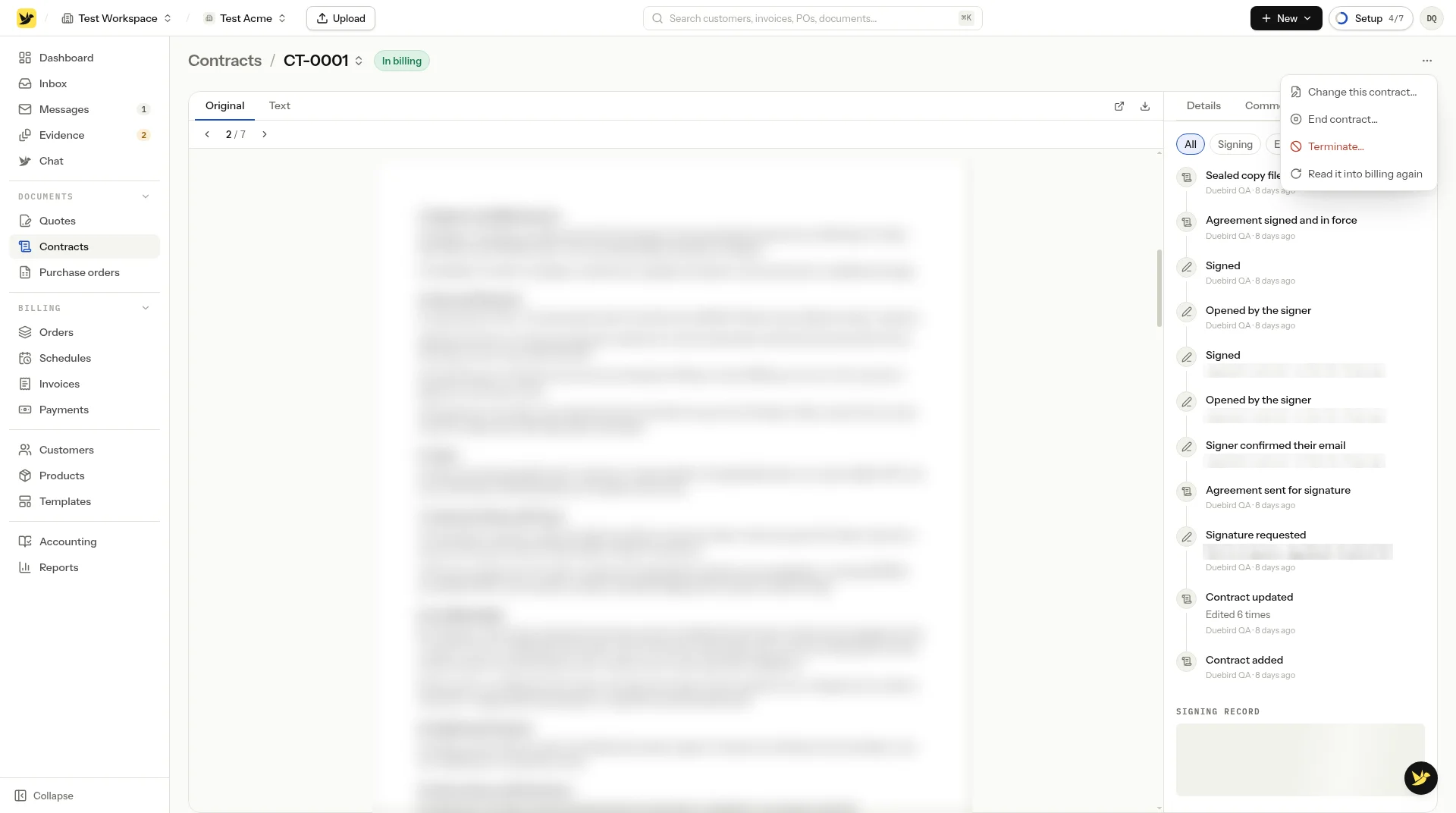
A signed contract's ⋯ menu offers Change this contract..., End contract... and Terminate....
A change is written in the editor and signed by both parties, like the original. Terminating sets the last day of service, and "Every schedule this contract governs ends on that date."
How It Works
- Change this contract...: write an Amendment, Extension, Restated agreement or Termination. "Nothing about the contract changes until" both parties have signed it.
- End contract...: pick the date it ends, or leave it blank to end it today, with an optional reason.
- Terminate...: set the last day of service and say why.
The menu also lists Read it into billing again. On the Contracts list, the Status filter includes Ended and Terminated, and Expiring within 30 days shows "Active contracts that end within 30 days".
Change a Contract
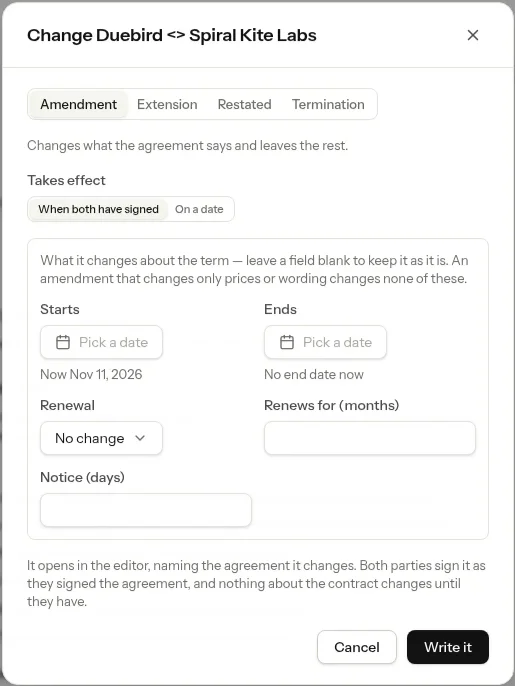
- Open the contract and choose ⋯ > Change this contract.... The same button sits at the bottom of the Details tab.
- Choose Amendment ("Changes what the agreement says and leaves the rest."), Extension, Restated or Termination.
- Under Takes effect, choose When both have signed or On a date.
- Fill in Starts, Ends, Renewal, Renews for (months) or Notice (days) only if they change. Leave a field blank to keep it as it is. An amendment that changes only prices or wording changes none of these.
- Renewal offers No change, Does not renew, Renews automatically and Runs until ended.
- Click Write it. "It opens in the editor, naming the agreement it changes. Both parties sign it as they signed the agreement."
End a Contract
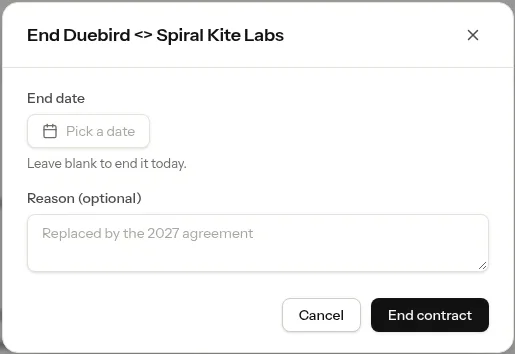
- Choose ⋯ > End contract....
- Pick an End date. "Leave blank to end it today."
- Add a Reason (optional), for example "Replaced by the 2027 agreement".
- Click End contract.
Terminate a Contract
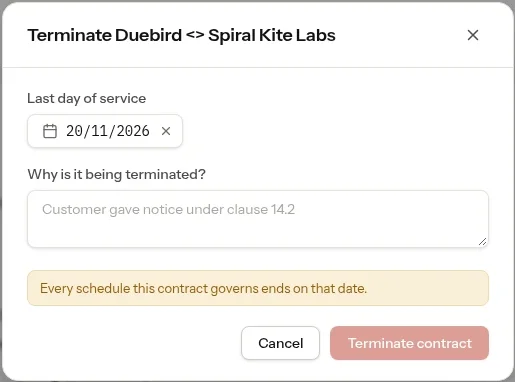
- Choose ⋯ > Terminate....
- Set the Last day of service. It starts at today's date.
- Answer Why is it being terminated?, for example "Customer gave notice under clause 14.2". It is required.
- Read the warning, "Every schedule this contract governs ends on that date.", then click Terminate contract.
Tips
- If the customer signed a change outside Duebird, record it with Record one they sent... instead. See Record a Contract the Customer Signed Elsewhere.
- Check Expiring within 30 days on the Contracts list to plan renewals in time.
- Give a clear reason when you terminate. It stays with the contract.
Frequently Asked Questions
Does a change apply as soon as I write it?
No. Nothing about the contract changes until both parties have signed it. Takes effect sets whether it applies when both have signed or on a date.
What happens to billing when I terminate a contract?
"Every schedule this contract governs ends on that date", the last day of service.
Can I end a contract today?
Yes. Leave End date blank and click End contract.