
Roles and Permissions Explained
Each person gets a role in each organization. The role decides what they can do there.
1 min readUpdated
Roles are set per organization, and "A role changes the moment you pick it."
At the workspace level, there is an Owner and Workspace admin ("Org admin everywhere").
How It Works
The organization roles, as described in duebird:
- Org admin: "Everything, including members and settings".
- Billing manager: "Bills, and manages customers, products and terms".
- Billing user: "Prepares orders, invoices and payments".
- Approver: "Approves invoices".
- Operations submitter: "Submits documents and records completed work".
- Read only: "Sees everything, changes nothing".
Org admins, billing managers and approvers can approve invoices. Only an org admin can change someone's role.
Approvals also follow settings. A Default approver is set in Settings > Invoices, and each customer's billing profile has an Approver, which can be the organization default.
API tokens act as the person who created them, but can only submit documents.
See Who Has Which Role
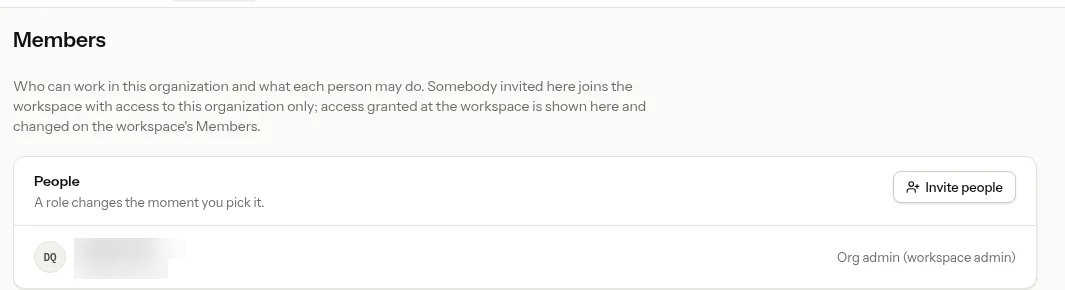
- Open your organization's settings and click Members.
- Each person is listed with their role.
- If you are an org admin, change a role from the list. The change applies at once.
Tips
- Give each person the smallest role that lets them do their work.
- Use Read only for people who need to see but not change anything.
- Keep at least two Org admins so someone can always manage members and settings.
Frequently Asked Questions
Can someone have different roles in different organizations?
Yes. Roles are set per organization.
When does a role change take effect?
At once. "A role changes the moment you pick it."
Who can approve invoices?
Org admins, billing managers and approvers. The Default approver in Settings > Invoices, or the customer's own approver, decides who is asked.
Who can change roles?
Only an org admin.