
Forward Your AR Mailbox So Documents Arrive Automatically
Send POs, remittances and replies to duebird by email, using your duebird address or a mailbox that forwards to it.
2 min readUpdated
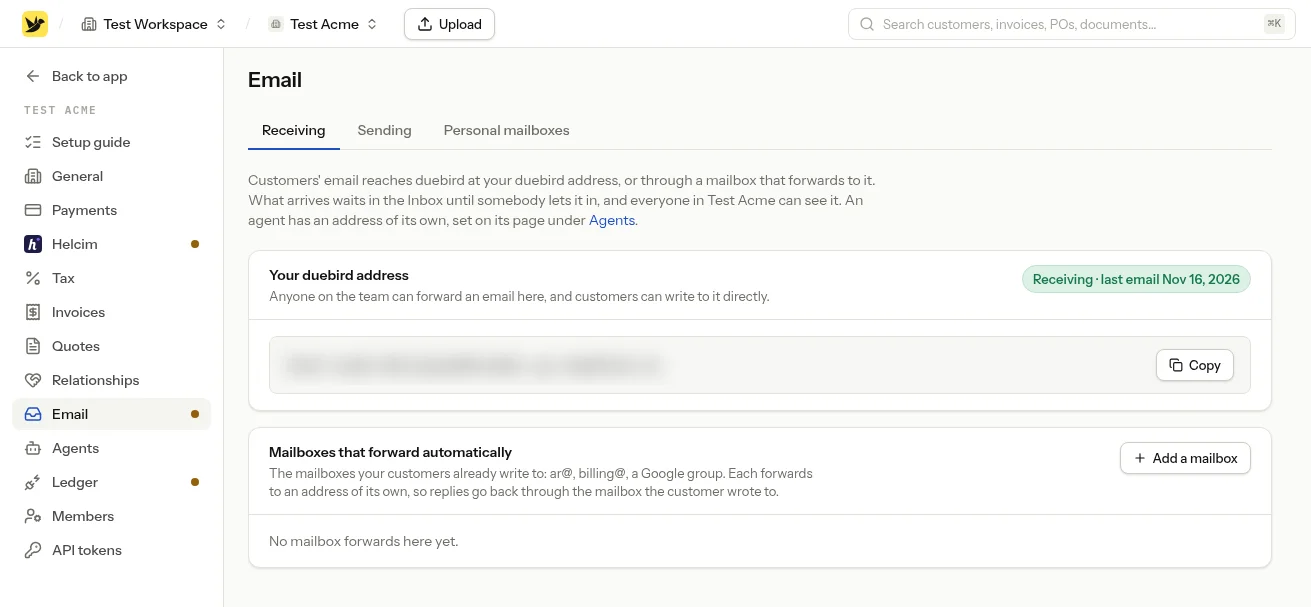
Every organization has its own duebird address. "Anyone on the team can forward an email here, and customers can write to it directly."
You can also have a shared mailbox, such as ar@ or billing@, forward to duebird automatically.
How It Works
Email arrives in Messages > Received straight away, tagged with the customer it belongs to. If it carries business documents, such as a PO or a remittance, a card goes to the Inbox. "What arrives waits in the Inbox until somebody lets it in." Files you let in go to Evidence, and duebird reads them, using the email itself as a cover note. Email with no attachments stays in Messages. Everyone in the organization can see what arrives.
You need access to Settings for the organization to set this up.
Find Your duebird Address
- Open the avatar menu and click Settings.
- Click Email, then the Receiving tab.
- Under Your duebird address, click Copy. A badge shows when mail last arrived, for example "Receiving · last email Nov 16, 2026".
- Share the address with your team, or give it to customers to send POs and remittances to.
Add a Mailbox That Forwards Automatically
- Under Mailboxes that forward automatically, click + Add a mailbox. Pick the mailboxes your customers already write to, for example ar@, billing@ or a Google group.
- duebird gives that mailbox its own forwarding address. "Each forwards to an address of its own, so replies go back through the mailbox the customer wrote to."
- In your email provider, set up a rule that automatically forwards mail from that mailbox to the forwarding address.
- If your provider sends a confirmation email to check the forward, it arrives in Messages > Received.
Let Documents In
- Open Messages > Received to see what arrived, tagged with its customer.
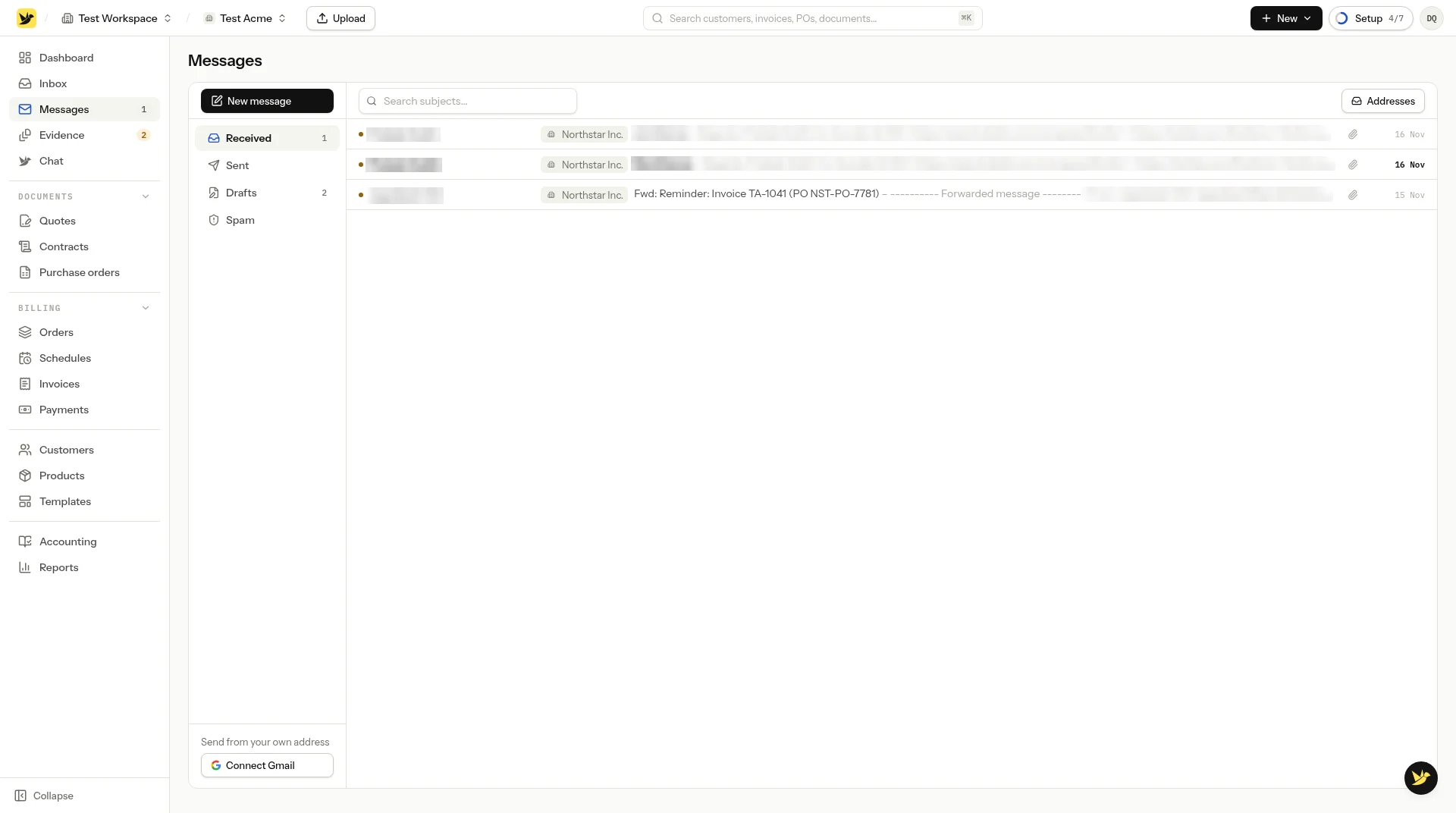
- For email with business documents, open the card in the Inbox and let it in, or set it aside.
- duebird reads the files in Evidence. Its conversations about email carry the MAIL tag in Chat.
Tips
- Forwarding a single email by hand works too. Forward it to your duebird address.
- Email agents have their own addresses, set on each agent's page under Agents.
- To change the address your own email goes out from, see Send From Your Own Domain or Mailbox.
Frequently Asked Questions
Can customers email the duebird address directly?
Yes. "Anyone on the team can forward an email here, and customers can write to it directly."
Does duebird read every email that arrives?
It reads the files you let in from the Inbox. Email with no attachments stays in Messages.
Who can see email that arrives?
Everyone in the organization.