
Read the Evidence Log: What Each Document Changed
Evidence lists every document duebird has read, what it did with each one and what it changed.
2 min readUpdated
Evidence is the log of every document duebird has read, and the trail from each document to the billing data it changed.
Use it to check where a price, a contract or a rule came from.
How It Works
Click Evidence in the sidebar. A badge shows how many documents are waiting. Documents are grouped by date. Each card shows the filename, the customer, KIND and ROLE tags, the time, a one-line summary and a status.
- BILLABLE: documents that turn into billing, such as POs, signed delivery slips, timesheets and service reports. They feed orders and invoice lines.
- REFERENCE: documents that set terms, such as agreements, price sheets and rate cards. They set rules and prices, not quantities to bill.
- DUPLICATE: a copy of a document duebird already has. It links to the original and is never billed twice.
Find a Document
- Search by "filename or summary", or filter by Status (Needs you, Reading, Finished) and Customer.
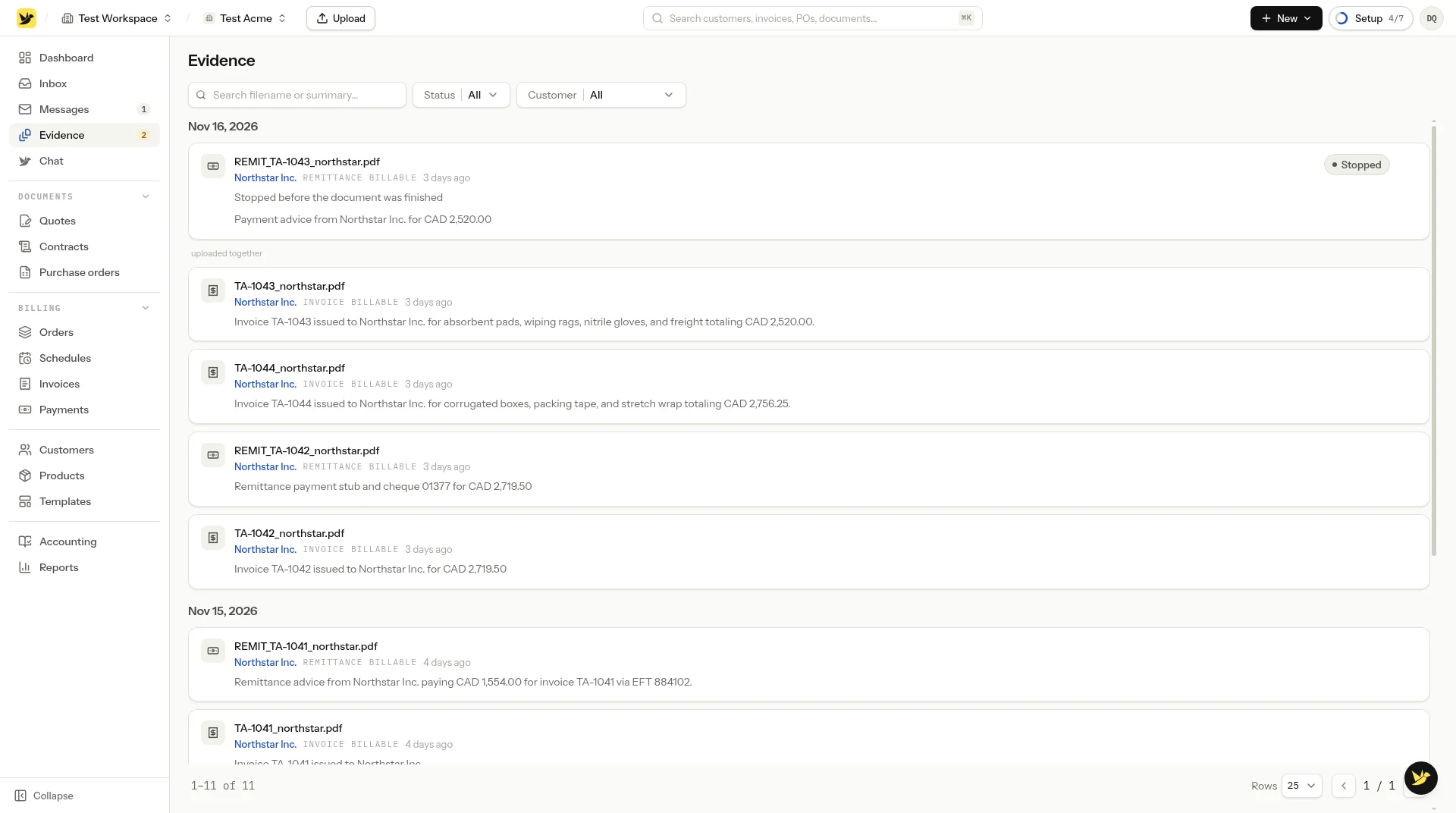
- Click a card to open it.
Read a Document's Details
- The drawer has three tabs: Original (the file, with page navigation), Text (the text duebird read, with Find in text) and Details.
- In Details, check Customer, Kind, Received and Read, for example "1 page, from the PDF's text layer".
- SUMMARY says what the document is.
- WHAT DUEBIRD DID shows the status, Open conversation, a summary of what it did, the questions you answered and any earlier runs.
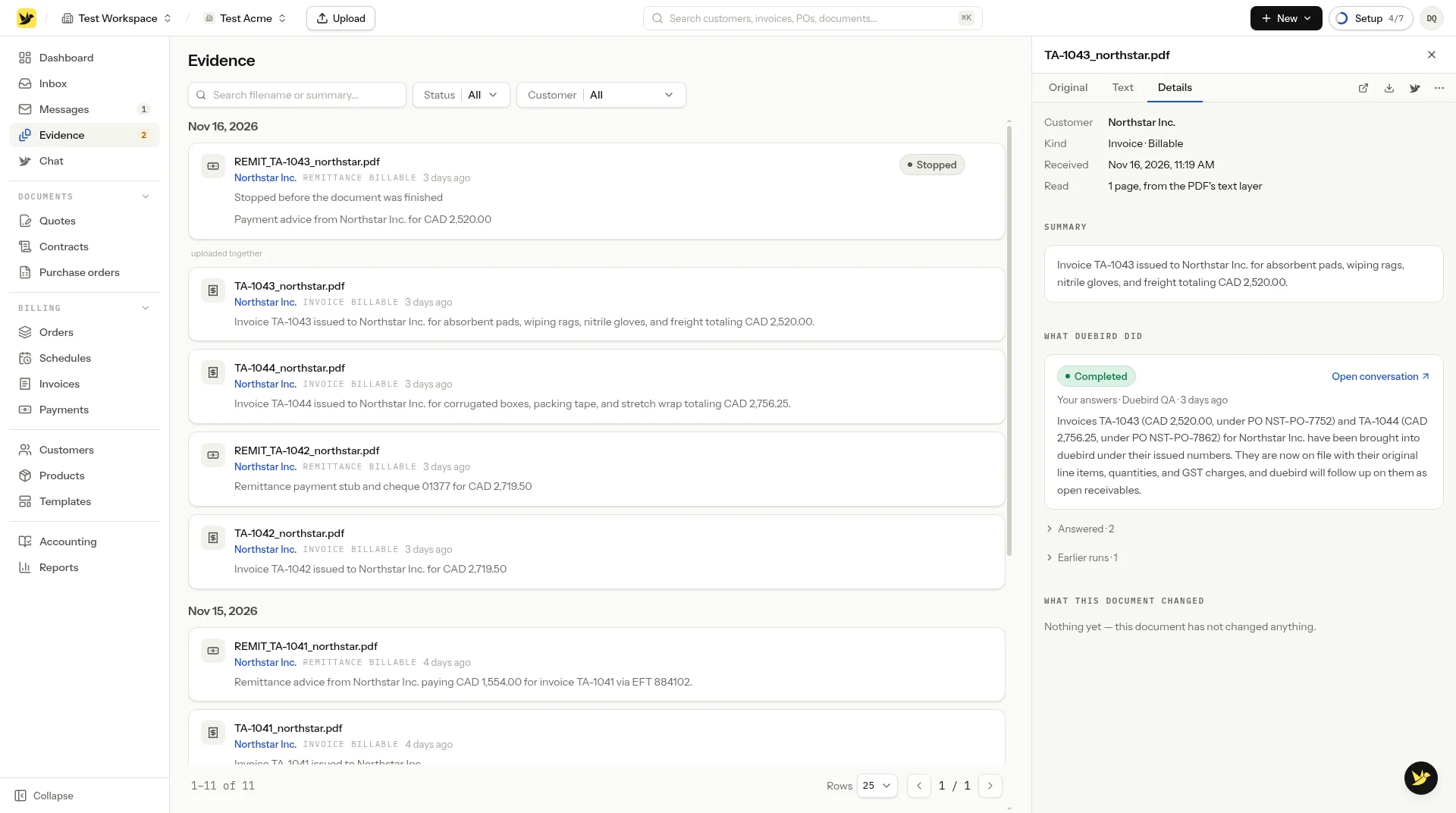
- WHAT THIS DOCUMENT CHANGED lists the prices, contracts and rules it created, each with its status and a link to open it where it lives, or to retire it.
Icons at the top of the drawer open the document in a new tab, download it, ask duebird about it, or show more options.
Retire a Change
Retire stops a price, contract or rule from applying from now on. Nothing already billed changes. Lines that are still open or not yet billed are priced again using the next price that applies.
Tips
- "Nothing yet: this document has not changed anything" means the document did not create any prices, contracts or rules.
- To find the source of an invoice line, start from the invoice (SENT WITH THE INVOICE) or the order (WHERE IT CAME FROM), then open the document here.
- A Stopped card shows why it stopped, for example "Stopped before the document was finished". duebird stops when a document is a copy, has nothing it can read or bill, or the run was cancelled.
Frequently Asked Questions
Does retiring a price change invoices already sent?
No. Retire applies from now on. Nothing already billed changes.
Can a duplicate be billed twice?
No. A duplicate links to the original and is never billed twice.