
Payment Terms and the How to Pay Box on Invoices
Set when customers are asked to pay, and the payment methods printed on every invoice.
2 min readUpdated
Two settings shape what an invoice asks of the customer: the payment terms, which set the due date, and the payment methods printed under "How to pay".
Terms are set for the organization in Settings > Invoices, and per customer as a rule. Payment methods are set in Settings > Payments.
How It Works
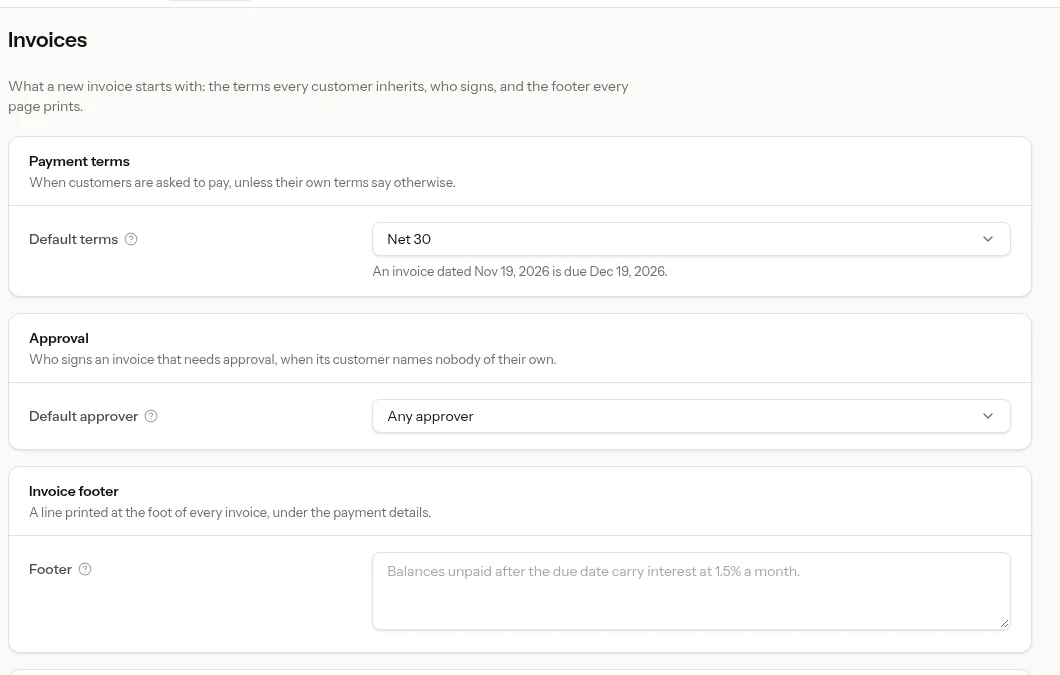
Default terms in Settings > Invoices apply "When customers are asked to pay, unless their own terms say otherwise." The setting shows a worked example of the due date.
A customer's own terms are a Payment terms rule on their Prices page. With none, their billing profile shows the organization default.
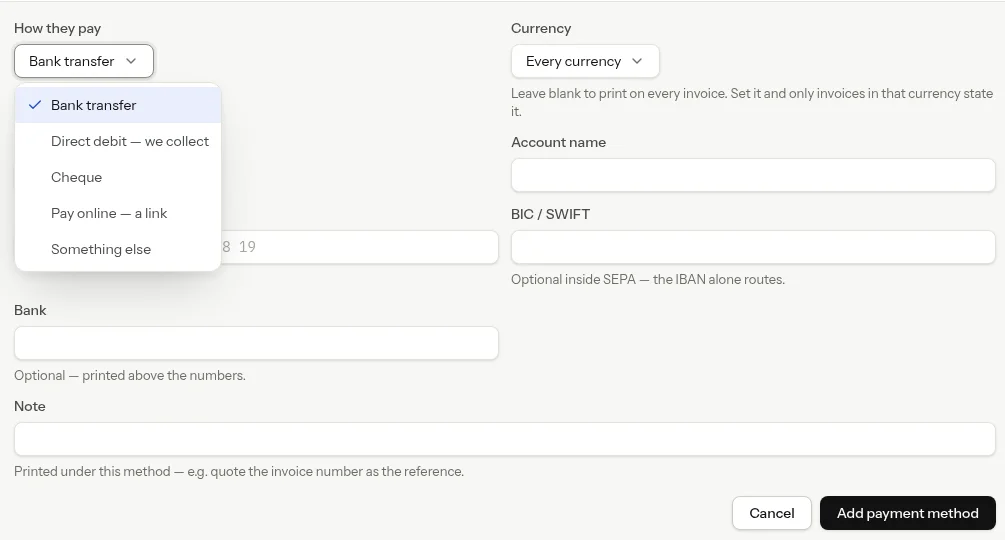
How customers pay in Settings > Payments lists the methods "Printed under "How to pay" on every invoice". + Add offers Bank transfer, Direct debit: we collect, Cheque, Pay online: a link and Something else.
Set the Default Terms
- Open your organization's settings and click Invoices.
- Under Payment terms, choose the Default terms.
- Check the worked example under the field to confirm the due date it gives.
Add a Payment Method
- In settings, click Payments.
- Under How customers pay, click + Add.
- Choose How they pay, such as Bank transfer.
- Choose the Currency it applies to, or Every currency.
- For a bank transfer, choose how the account is identified (IBAN, or account number and national code), then fill in the account name, number, BIC or SWIFT and bank.
- Add a Note to print under the method if useful, then click Add payment method.
Set One Customer's Terms
- Open the customer and click Prices.
- Under RULES, click + Set a rule and choose Payment terms.
- Choose Net, End of month, Prox or Due on receipt, and the number of days.
- Add an early payment discount if agreed. It is "Stated on the invoice: duebird does not apply it to payments yet."
- Set From and Until if the terms only apply for a time, then click Add rule.
Tips
- Check the worked example after changing the default terms.
- Add one payment method per currency if your bank details differ by currency.
- Use a customer rule, not a note, for terms you agreed with one customer.
Frequently Asked Questions
Where are payment terms set?
For everyone, in Settings > Invoices. For one customer, as a Payment terms rule on their Prices page.
Where do the bank details on my invoices come from?
From How customers pay in Settings > Payments.
Does duebird apply an early payment discount for me?
Not yet. The discount is stated on the invoice only.