
Money on Account and Unapplied Payments
Find money you received that is not yet set against an invoice.
1 min readUpdated
Money received but not yet set against an invoice is shown in two places: Holding money on the Payments list, and Money on account on the customer.
How It Works
On the Payments list, the Unapplied column shows what is left on each payment.
Holding money narrows the list to payments not yet fully applied. When there are none, it reads "Nothing unallocated · Every payment you have recorded is allocated to an invoice."
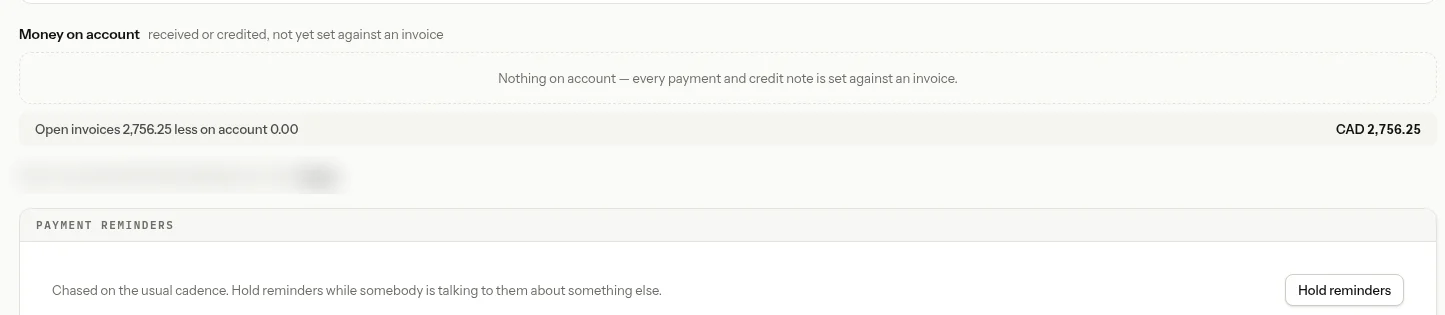
On the customer's Invoices & payments page, Money on account shows what was "received or credited, not yet set against an invoice". Below it, a line shows the open invoices less what is on account.
Check Holding Money
- Click Payments in the sidebar.
- Click Holding money.
- Open a payment to see what is still unapplied.

Check a Customer's Money on Account
- Open the customer and click Invoices & payments.
- Read Money on account. "Nothing on account" means every payment and credit note is set against an invoice.
Tips
- Check Holding money as part of your regular close.
- Credit notes not yet used also count as money on account.
- Look at Money on account before chasing a customer. They may have paid already.
Frequently Asked Questions
Why does a payment show an Unapplied amount?
Part of it is not yet set against an invoice.
Does money on account include credit notes?
Yes. It covers money "received or credited, not yet set against an invoice".
Where can I see all unapplied money at once?
Use Holding money on the Payments list.