
How Customers Can Pay You
The ways a customer can pay an invoice, and where each one appears.
2 min readUpdated
Every invoice prints how to pay, from the methods in Settings > Payments.
You can also send a payment link for one invoice or everything a customer owes.
How It Works
- How to pay on the invoice: the methods you set up, such as Bank transfer, Direct debit: we collect, Cheque, Pay online: a link or Something else. Each prints under "How to pay" on every invoice.
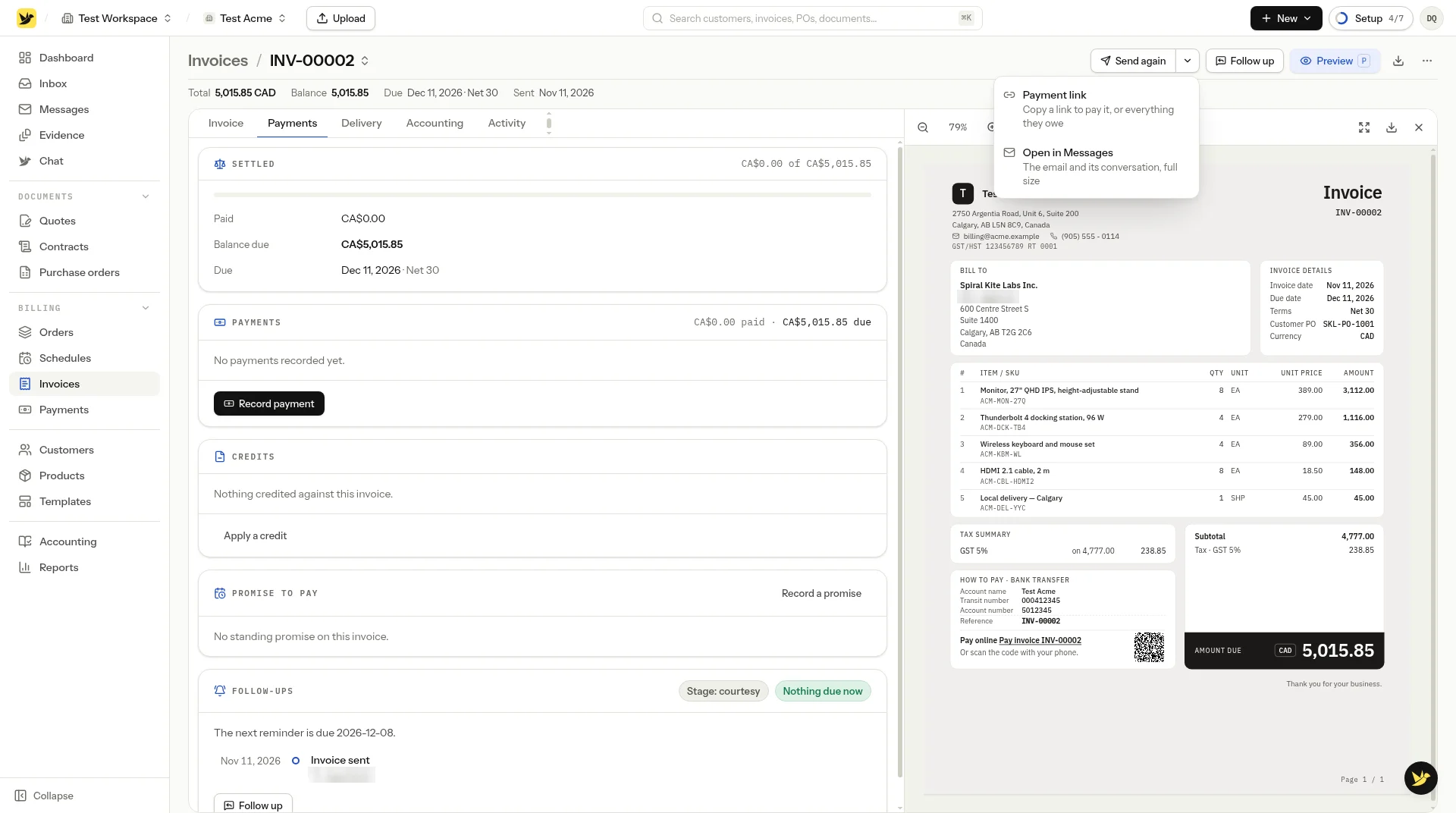
- Pay online and QR code: the invoice's HOW TO PAY box prints a "Pay online" link and "Or scan the code with your phone."
- Payment link: from an invoice's Other ways to send, or a customer's more menu. The link opens a page where the customer can view the invoice, download the PDF and see how to pay.
Reminder emails also carry a Pay invoices button that "Opens these invoices for payment".
However they pay, record what arrives against the invoices, or let duebird record it from their remittance.
Set Up How Customers Pay
- Open your organization's settings and click Payments.
- Under How customers pay, add each method you accept. See Payment Terms and the How to Pay Box on Invoices.
Send a Payment Link
- Open the invoice and click Other ways to send > Payment link, or open the customer and choose Payment link from the more menu.
- Paste the link into your email or message to the customer.
Tips
- Keep at least one method on file in each currency you bill in.
- Use the "everything they owe" link for customers with several open invoices.
- Ask customers to quote the invoice number as their payment reference.
Frequently Asked Questions
Where do the payment details on an invoice come from?
From How customers pay in Settings > Payments.
Can a customer pay several invoices with one link?
Yes. A payment link can cover everything they owe.
What happens when the money arrives?
Record the payment, or let duebird record it from the customer's remittance. See Record a Payment.