What customer AP needs before approving your SaaS invoice
An accurate amount is only part of an approvable invoice. Send the details the receiving team checks, before the invoice goes out.
By the Duebird team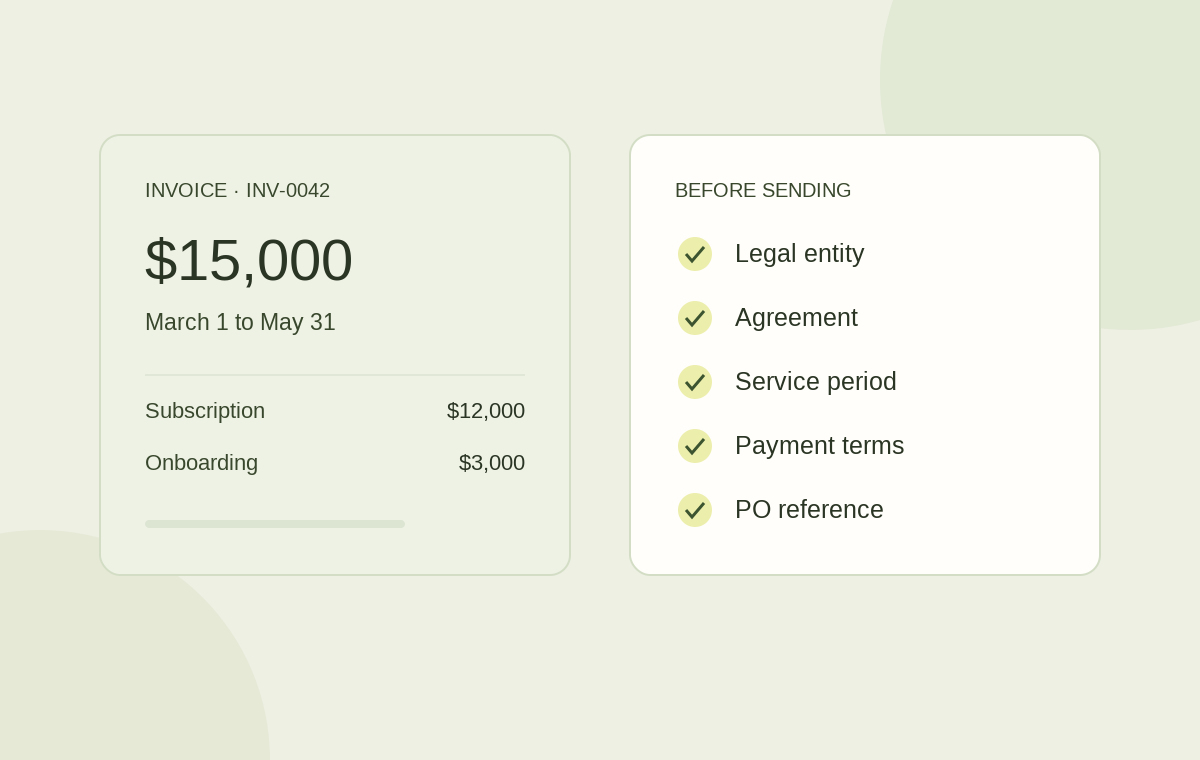
Check the billing entity, the signed agreement, the service period, the payment terms, and any reference the buyer requires before sending a SaaS invoice. These answer AP’s questions in advance; the buyer still controls approval.
An accurate amount is only part of an approvable invoice. The receiving team may also need the correct legal entity, service period, agreement reference, payment terms, and a PO number where its process requires one. Put that context together before sending the invoice. The buyer still controls its approval.
Most AP questions are predictable. A missing reference or the wrong entity sends the invoice back for a fix, and the wait for payment starts again. A short check before sending prevents the avoidable ones.
Check the buyer and the agreement
Start with who is being billed and under which agreement. A wrong legal entity is an error to correct. An unanswered approval request is a conversation to follow up. Keep the two apart.
- The legal entity and bill-to details match the customer’s vendor record.
- The invoice goes to the recipient the customer named.
- The agreement version is the one in force.
- Any registration or tax details the customer requires are present.
Explain what the invoice covers
State the service period, the subscription or plan, and the basis of each charge. Show a one-time fee as its own line, and note an amendment by its effective date.
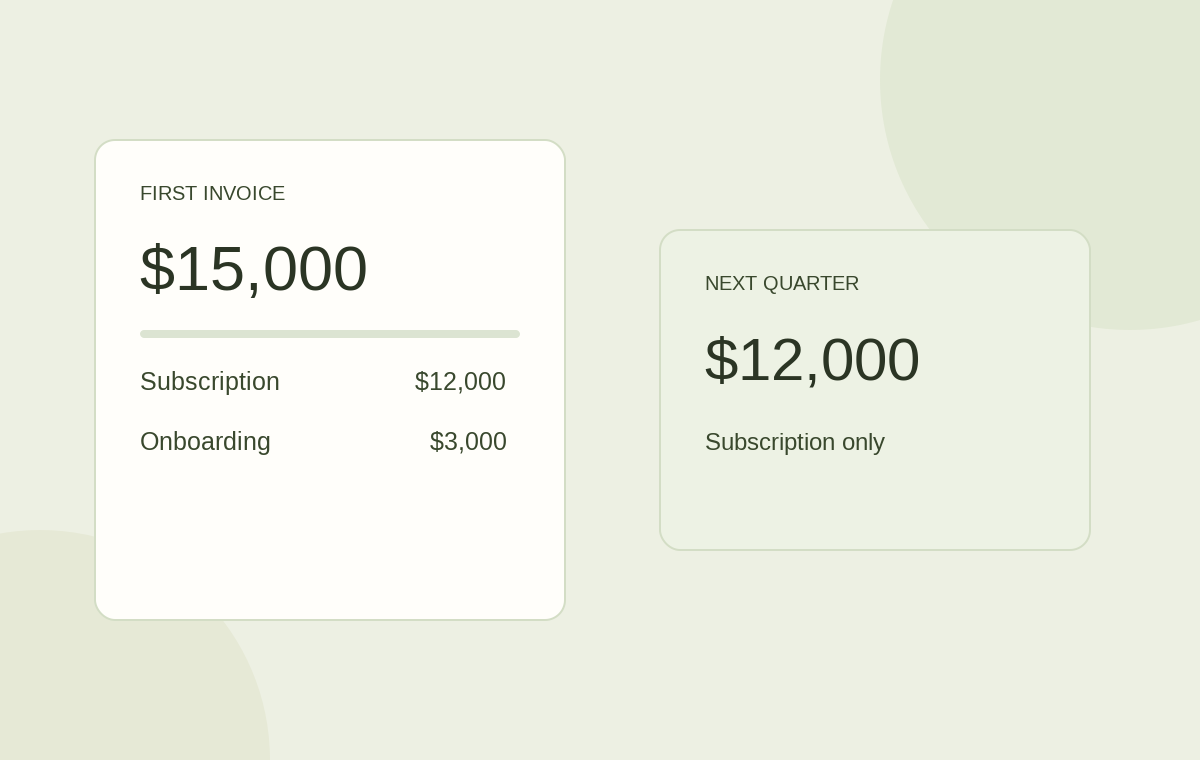
For example, an invoice for March 1 to May 31 shows a $12,000 subscription line and a separate $3,000 onboarding line. The customer can match each to the agreement without asking which quarter it covers.
Before the next invoice, review the contract-based billing schedule so each charge keeps its own line.
Include the references the buyer requires
Some customers require a PO number. Others ask for the signed agreement or an acceptance record with the invoice. Include what their process names.
Not every SaaS invoice needs a purchase order or a delivery record. Ask during onboarding which references the customer’s AP team checks, and record the answer with the account.
You can attach the source documents that travel with an invoice so the reviewer has them on the first read.
Keep approval, due date, and payment separate
Accurate billing removes avoidable questions. It does not change the buyer’s checks or guarantee early payment. Approval, the due date, and the payment run are the customer’s steps, on the customer’s schedule.
| Before sending, confirm | Why the buyer asks |
|---|---|
| Legal entity and bill-to | It must match their vendor record. |
| Agreement reference | It ties the charge to signed terms. |
| Service period | It shows what the invoice covers. |
| Payment terms | They set the due date. |
| PO or other reference | Their process may require it. |
| Recipient | The invoice has to reach the right inbox. |
From the other side, understand the receiving AP workflow your invoice enters.
Keep the invoice and its backup together
Duebird keeps the agreement, the customer’s references, and the supporting documents with each invoice, so the backup travels with the bill. Finance can check the invoice against the agreement before it is sent.
Bring one invoice that came back with questions to a walkthrough. Compare it with this checklist and find the detail that was missing.
Send the details the buyer’s review checks with the invoice. The buyer still decides when it is approved.
Sources and further reading
Official references for the concepts and software examples discussed in this article.