
Create a Quote
Start a quote for a customer, add items and wording, and preview it before it goes out.
2 min readUpdated
Click + New quote on the Quotes list, press N, or choose + New > Quote to open a draft.
Prices, tax and addresses come from the customer you choose. "Nothing reaches the customer until you send it."
How It Works
A quote is "An offer they accept online". When you send it, the customer gets an email with a link to review the quote and accept or decline it online. When they accept on the quote decides whether an accepted quote becomes an order straight away or waits for the customer's PO.
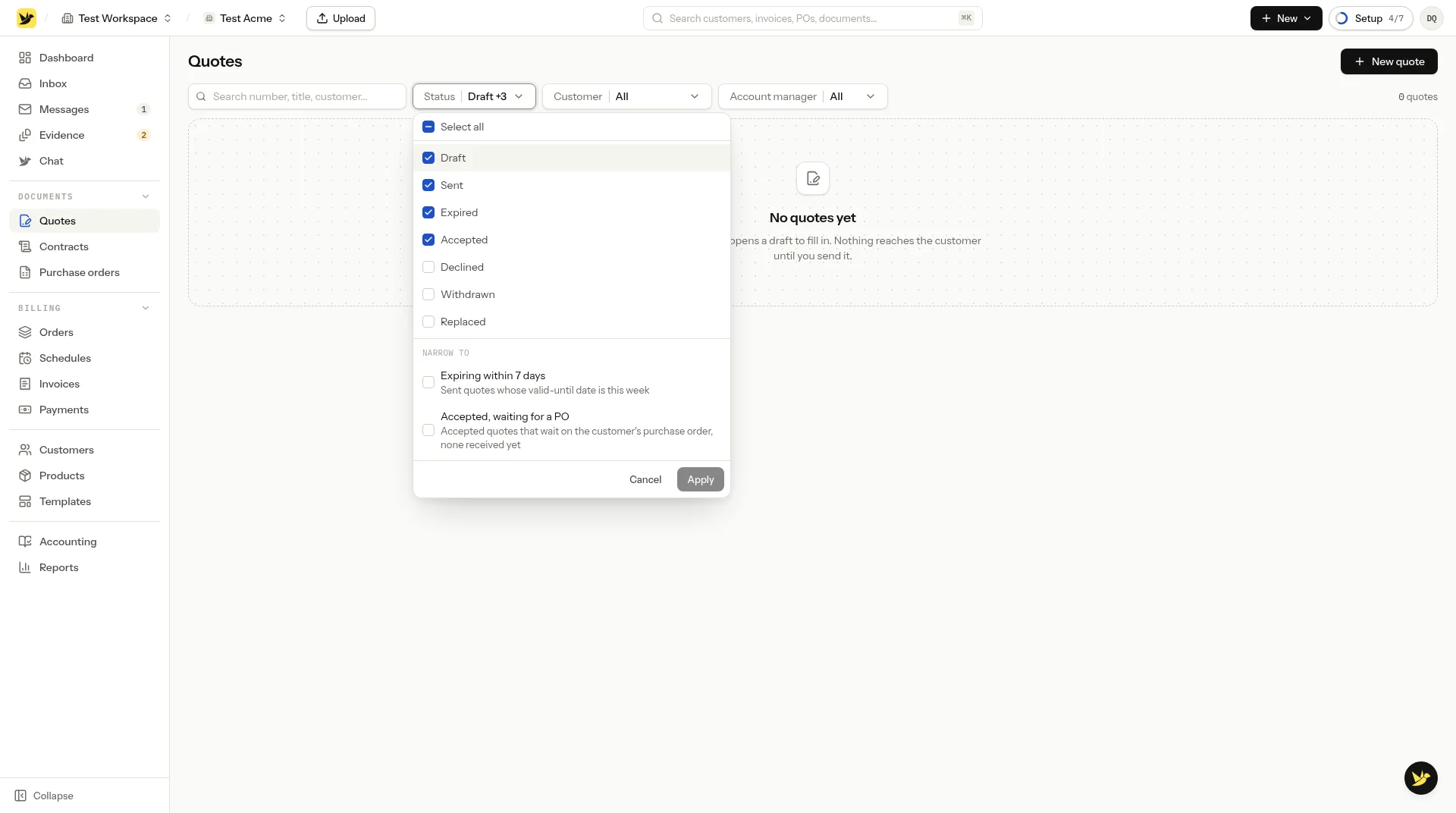
The Quotes list filters by Status, Customer and Account manager. By default it shows Draft, Sent, Expired and Accepted quotes. The Status filter lists:
- Draft, Sent, Expired, Accepted, Declined, Withdrawn and Replaced. Withdrawn means you pulled the offer and its link stops working. Replaced means a newer revision of the quote was sent in its place.
- Expiring within 7 days: "Sent quotes whose valid-until date is this week".
- Accepted, waiting for a PO: "Accepted quotes that wait on the customer's purchase order, none received yet".
Start a Quote
- Click Quotes in the sidebar, then + New quote, or press N.
- Under FOR, click Choose a customer. "Prices, tax and addresses come from them."
- Under WHERE, check Bill to and Ship to. Both come with the customer.
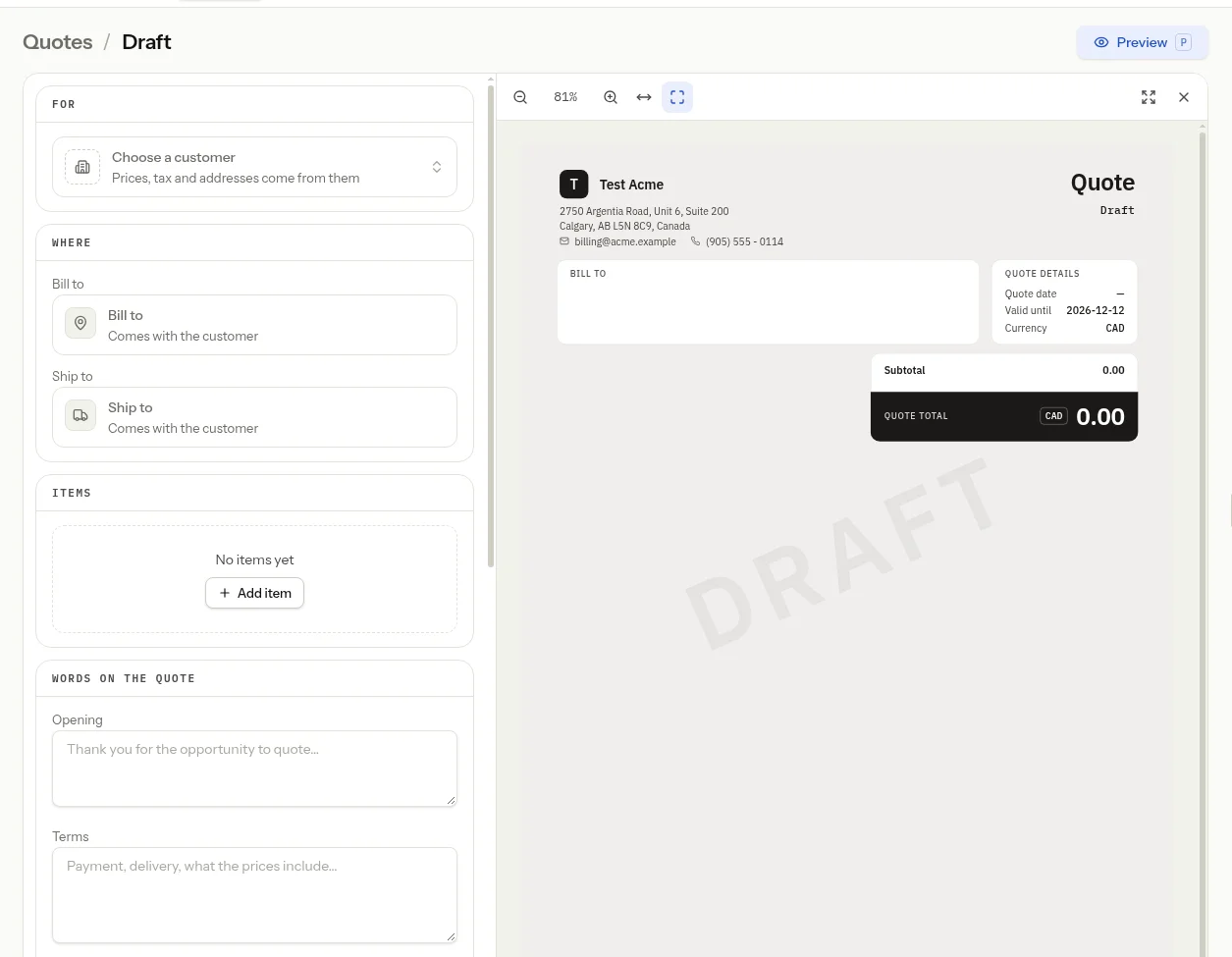
- Under ITEMS, click Add item for each product or service.
- Under WORDS ON THE QUOTE, check the Opening, Terms and Closing. They start from your quote settings.
- Under INTERNAL, set the Account manager and add an Internal note for your team if needed.
- Check TOTAL for the subtotal and tax.
Set the Quote Details
- Valid until: 30 days by default, from your quote settings.
- Currency and Their reference.
- When they accept: for example Follow their PO, so an accepted quote waits for the purchase order that cites it, and the order is made from that PO.
- Number: "Not numbered yet: Given when you send it".
Preview the Quote
The preview on the right updates as you fill in the quote. Click Preview, or press P, to open it.
Tips
- Set the customer first. Prices, tax and addresses follow from it.
- Use Accepted, waiting for a PO to see which accepted quotes still need the customer's purchase order.
- Check Expiring within 7 days each week to follow up before quotes lapse.
Frequently Asked Questions
Does creating a quote send it to the customer?
No. "Nothing reaches the customer until you send it."
Why does my quote have no number?
Quotes are numbered when you send them.
What does Replaced mean?
A newer revision of the quote was sent, so the older one is no longer the live offer.
How long is a quote valid?
30 days by default. Change the default in Settings > Quotes, or change Valid until on the quote.