
AR Aging Report
See what every customer owes, how overdue it is, and your days sales outstanding.
1 min readUpdated
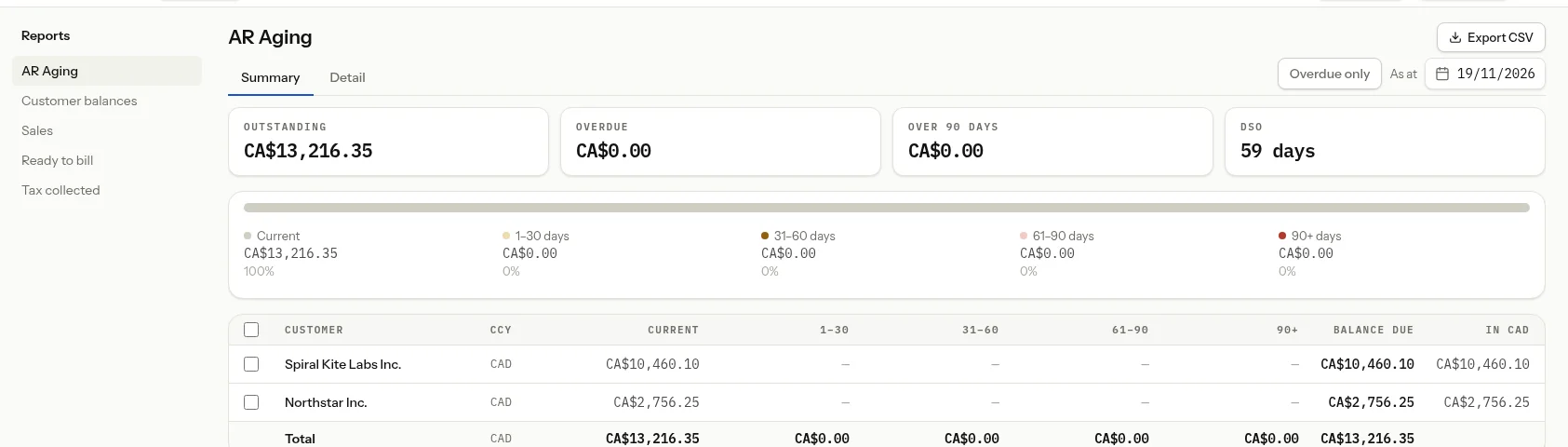
AR Aging shows your outstanding balance, what is overdue, what is over 90 days, and DSO, with each customer split into aging buckets.
How It Works
The top of the report shows OUTSTANDING, OVERDUE, OVER 90 DAYS and DSO.
A bar splits the balance into Current, 1-30 days, 31-60 days, 61-90 days and 90+ days.
The table lists each customer with their currency, each bucket, the balance due, and the balance due in your home currency.
Choose Summary or Detail, tick Overdue only, or set As at to see the aging on another date. Every report has Export CSV.
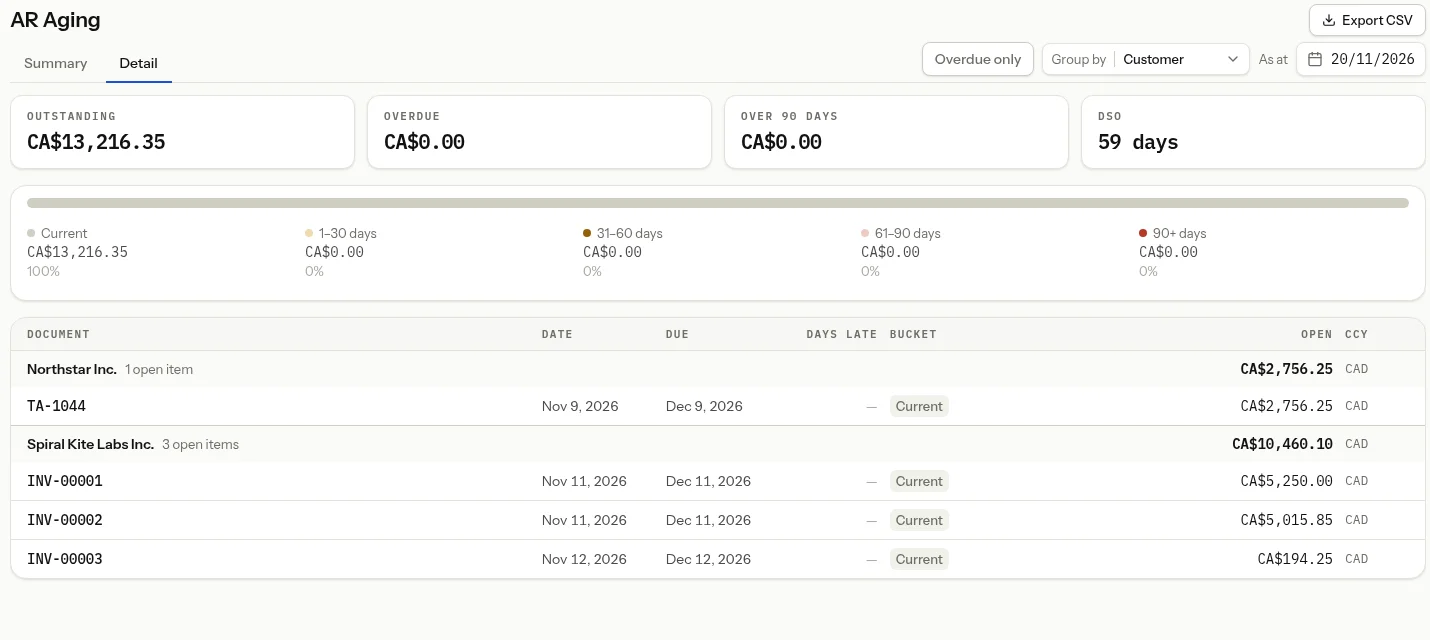
Detail lists each open document under its customer (Group by Customer), with DOCUMENT, DATE, DUE, DAYS LATE, BUCKET, OPEN and CCY.
Run the Report
- Click Reports in the sidebar, then AR Aging.
- Choose Summary or Detail.
- Set As at if you need a past date.
- Tick Overdue only to focus on late balances.
- Click Export CSV to download it.
Tips
- Run AR Aging as at month end for your close.
- Use Overdue only before a collections call.
- Watch DSO over time to see whether customers are paying faster.
Frequently Asked Questions
Can I see the aging on a past date?
Yes. Change As at.
How do I see only late invoices?
Tick Overdue only.
Can I see each invoice, not just customer totals?
Yes. Choose Detail.
Can I export it?
Yes. Click Export CSV.