
Add a Product: SKU, Kind, Price, Unit and Tax Category
Set up what you sell so it reads right on invoices and is taxed correctly.
2 min readUpdated
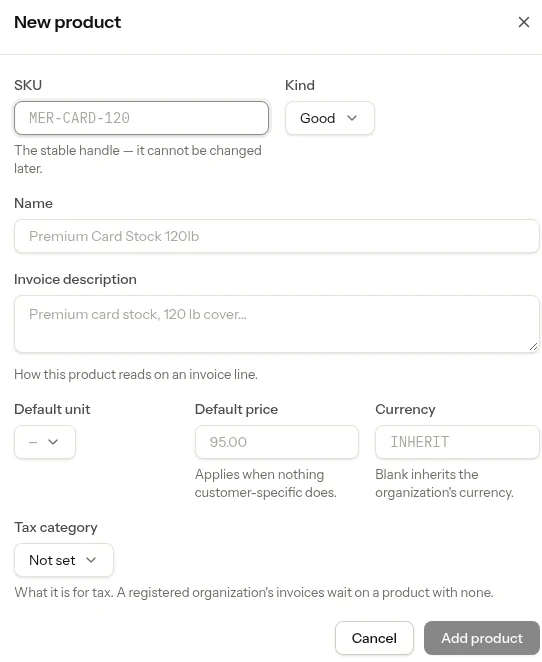
Each product has a SKU, a kind, a name, how it reads on an invoice, a default unit and price, and a tax category.
The SKU is "The stable handle: it cannot be changed later."
How It Works
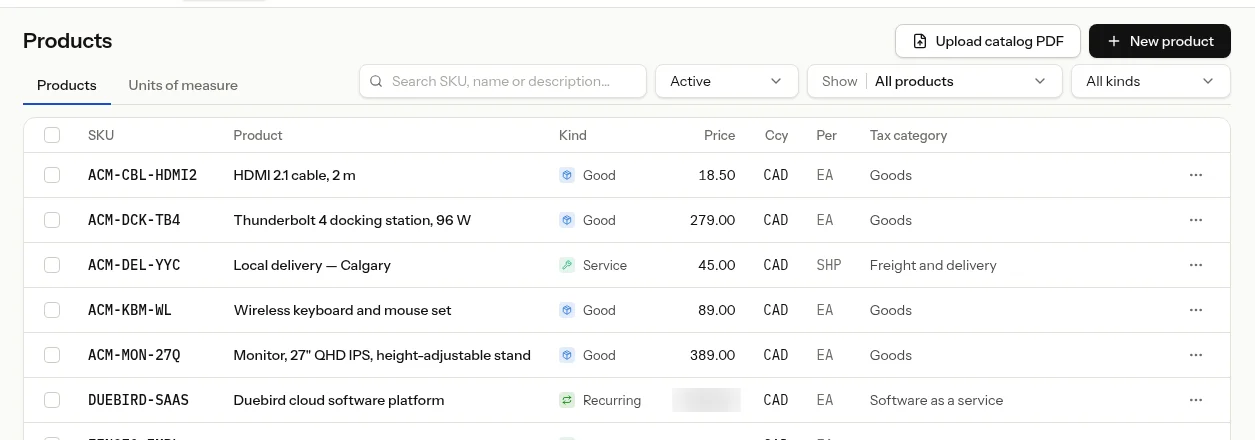
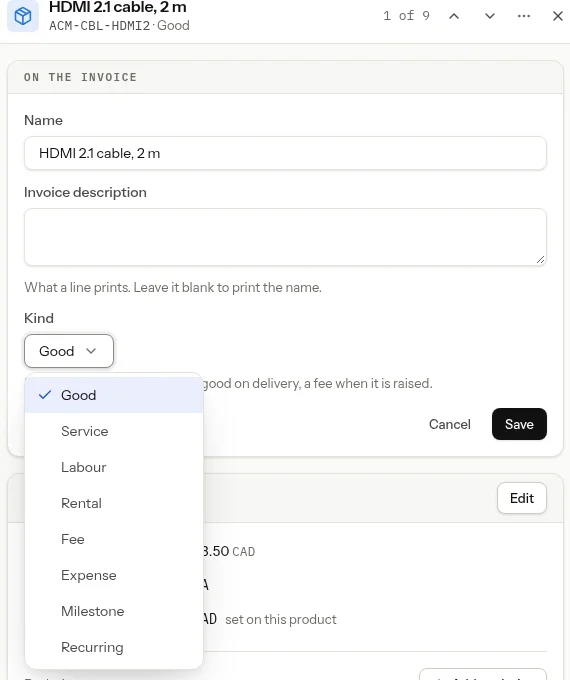
The Products list shows SKU, Product, Kind, Price, Ccy, Per and Tax category. The list shows kinds such as Good, Service, Recurring and Fee. A product's kind can be Good, Service, Labour, Rental, Fee, Expense, Milestone or Recurring. It "Decides when its lines bill: a good on delivery, a fee when it is raised."
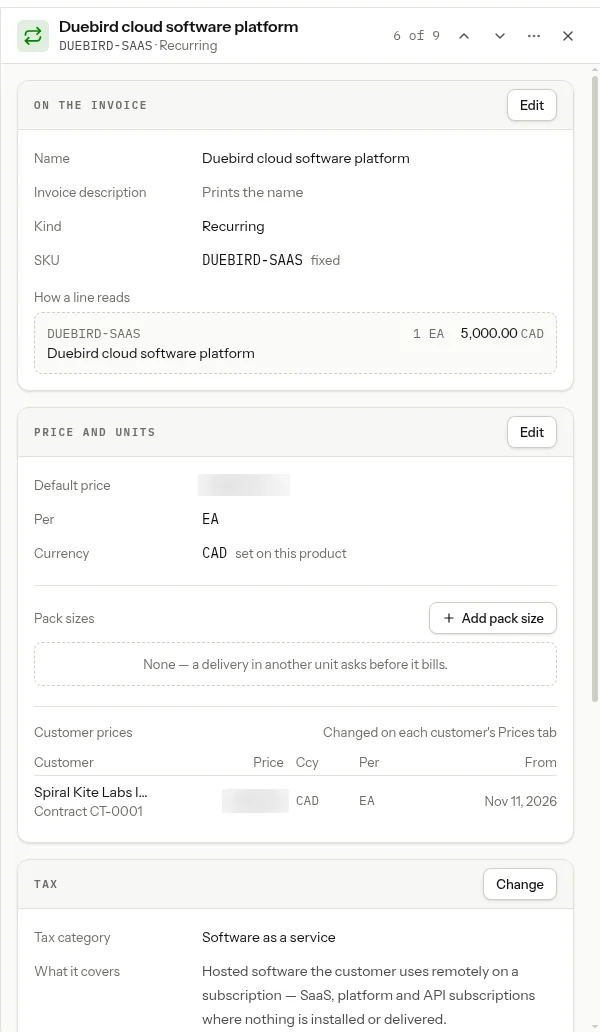
A product's page has these sections:
- ON THE INVOICE: name, invoice description, kind, SKU (fixed once set) and a "How a line reads" preview.
- PRICE AND UNITS: default price, unit, currency, pack sizes and the customer prices for this product.
- TAX: the tax category, with "What it covers".
Create a Product
- Click Products in the sidebar, then + New product.
- Enter the SKU and choose the Kind.
- Enter the Name and the Invoice description, "How this product reads on an invoice line."
- Set the Default unit and Default price. The price "Applies when nothing customer-specific does."
- Leave Currency blank to inherit the organization's currency, or set one.
- Choose the Tax category.
- Click Add product.
Check How It Reads
- Open the product from the list.
- Under ON THE INVOICE, check How a line reads.
Change How It Reads or Its Kind
- Open the product and click Edit under ON THE INVOICE.
- Change the Name or Invoice description. "Leave it blank to print the name."
- Change the Kind if needed, then click Save. The SKU cannot be changed.
Tips
- Choose SKUs carefully. They cannot be changed later.
- Write invoice descriptions the way your customer reads them.
- Always set a tax category. A registered organization's invoices wait on a product with none.
Frequently Asked Questions
Can I change a SKU later?
No. The SKU is fixed once set.
What if a customer pays a different price?
Set it on the customer's Prices. The default price applies when nothing customer-specific does.
Can I change a product's kind later?
Yes. Click Edit under ON THE INVOICE. The SKU stays fixed.