Your customer promised to pay Friday. What should the next reminder say?
A payment promise should change the next action. Record it, check for payment, and follow up on the actual conversation.
By the Duebird team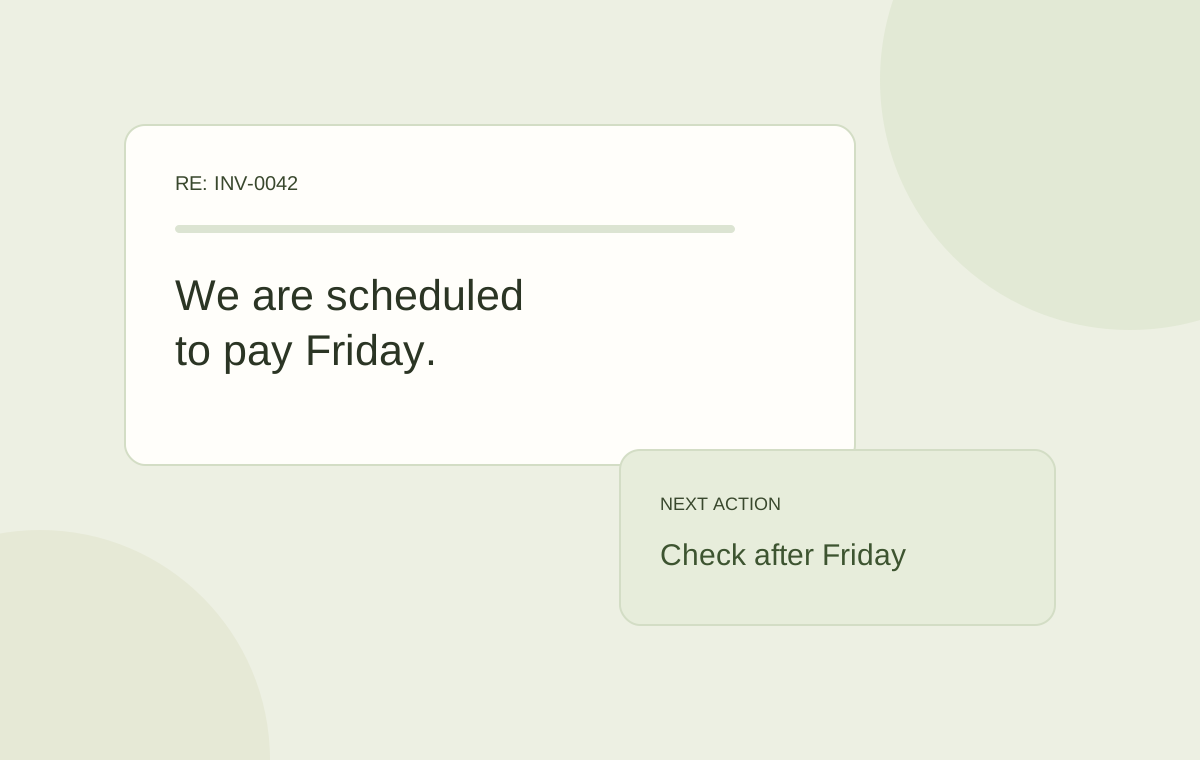
Record the promised payment date with the invoice, check whether payment arrives, and time the next reminder around that promise. A follow-up should acknowledge the customer’s last reply.
An automated “your invoice is overdue” message can be correct and still be unhelpful. If the customer already said the payment is scheduled for Friday, the next email should acknowledge that conversation.
The useful next action is to record the promise, check for payment at the appropriate time, and prepare a follow-up if the money has not arrived. The invoice’s age is only part of the context.
Record a promise the whole team can use
A note in one person’s inbox is easy for another colleague or an automated reminder to miss. Put the promise with the invoice and customer account. Capture enough detail to decide what happens next.
- The invoice or invoices covered by the promise.
- The amount and expected payment date.
- The customer contact and the message containing the promise.
- Whether payment was scheduled, initiated, or only being discussed.
- The internal owner and the next review date.
Acknowledge the promise clearly
An acknowledgement can be short: “Thanks, Jordan. Friday is noted for INV-0042. We will check for the payment after that.” It confirms the relevant invoice and gives both teams the same expectation.
Avoid implying that a scheduled payment has already settled. Bank processing time and the method used can affect when funds become visible. If the customer means they will initiate payment on Friday, record that distinction.
Check the payment before sending another email
When the review date arrives, check received payments and remittances as well as the invoice status. The money may have arrived but remain unapplied. Following up before looking at that queue creates a problem the customer cannot fix.
If the payment is visible, review its application to the right invoices. If it is still missing, ask a specific question about the promise rather than restarting a generic overdue sequence.
Write the follow-up around what changed
For a missed promise, a useful draft is: “Hi Jordan, following up on the payment you had scheduled for Friday for INV-0042. We have not matched a payment yet. Has it been sent, and could you share the remittance reference?” Adjust the timing and wording to your payment method and relationship.
A dispute needs a different response. So does a missing PO, an incorrect legal entity, or a failed payment. Assign the issue to someone who can resolve it and avoid sending collection reminders that ignore the blocker.
| Customer context | Useful next action |
|---|---|
| Payment promised | Review after the promised date. |
| Payment sent, not found | Ask for a remittance or transaction reference. |
| Charge disputed | Resolve the billing question. |
| Customer reference missing | Provide the required document or correction. |
Use AI to prepare a contextual response
Duebird brings the AR inbox, invoice, customer history, and payment context together. AI can prepare a follow-up from that information while your team controls sending.
Automation is useful when it helps the team choose the right next action. A promise should influence the draft and review date, rather than disappear behind an overdue badge.
Record the promise, check for received or unapplied money, then follow up on the specific commitment.
Sources and further reading
Official references for the concepts and software examples discussed in this article.